Vicoland: the design process of defining roles in a project proposal
Overview
Vicoland is a product where teams of freelance experts and enterprise projects come together to deliver cost-efficient, high-quality and compliant professional services.
Vocabulary
- Vicos:
- Virtual companies
- Vico lead:
- Managers of teams of freelancers who build a scope for projects that meets their client’s requirements
- Vico members:
- Freelancers in a Vico
Product overview
After building their Vico on the platform, Vico leads look for clients and projects they can work on. When they receive a proposal from a client, they have to form a team before taking on the project. Often they don’t know who to assign tasks to, or simply don’t have enough team members at the early stages of the project. At the same time, they need to send a proposal to their client to move the negotiation forward.
Problem statement
- – Vico leads take a long time to submit a proposal to their clients
- – It’s not possible to fill talent gaps directly on the Vicoland platform
- – Freelancers have no visibility of teams that need their skills for specific projects
Goals
- – Reduce the time lag between the client and Vico transaction
- – Enable Vico leads to fill talent gaps for projects via the Vicoland platform
- – Enable freelancers to join projects that need their skills
- Roles and responsibilities
- Competitive analysis, ideation, wireframing, high fidelity design, prototyping
- Tools
- Figma, Miro
- Timeline
- 30 hours
- Deliverables
- – A prototype that includes the interactions described
- – Documentation that describes the flows, logic and interactions so that the design can be implemented by developers
- – Any assets that help explain the design decisions, process and methods (flowcharts, sketches, research findings, etc.)
Understanding the product and the competitors
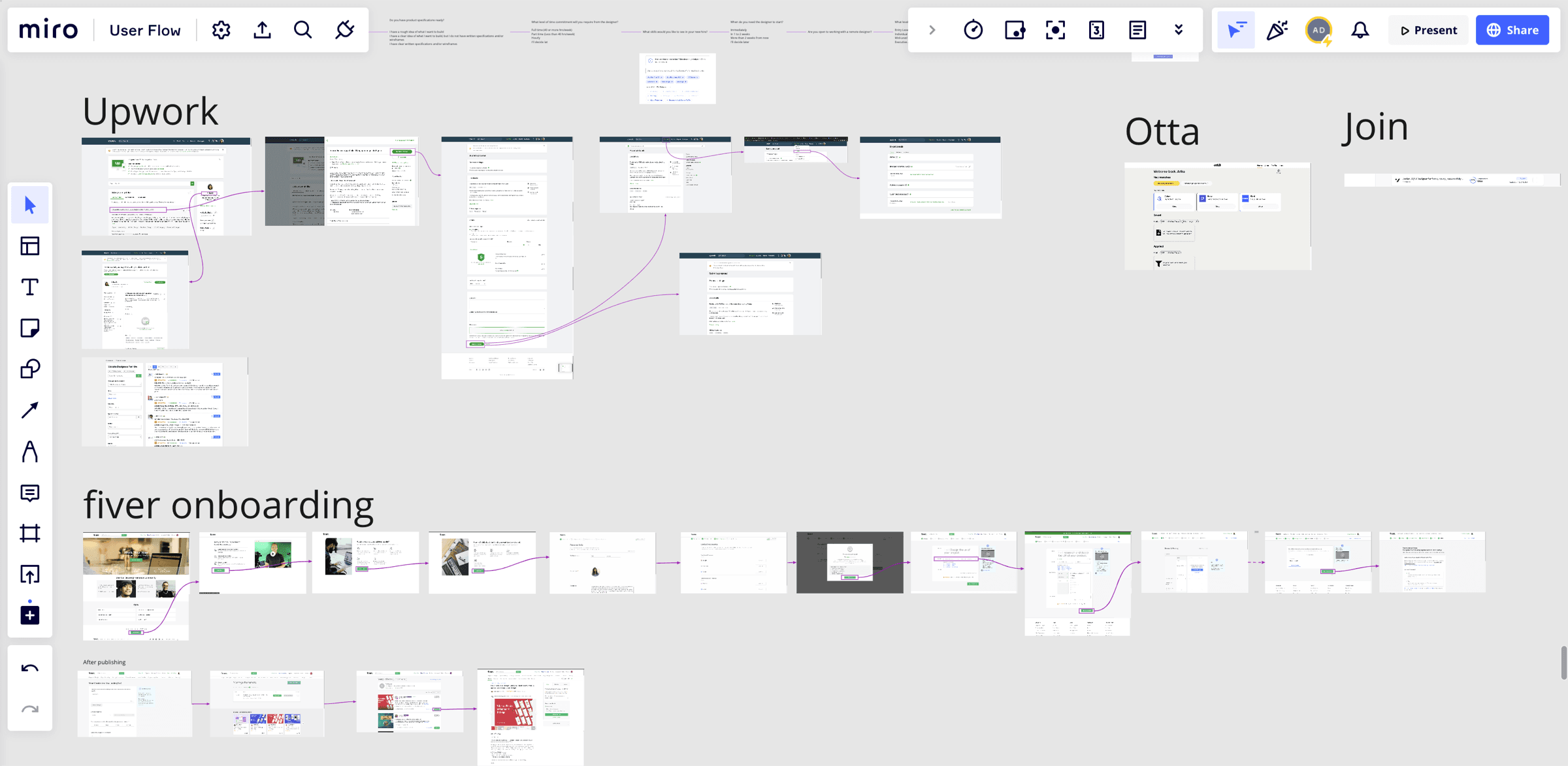
The first step was to understand the user flow of Vicoland and its competitors, to see how clients and freelancers sign up for jobs in this gig economy. Vicoland’s value proposition is slightly different: clients sign up Vicos rather than individual profiles, and Vicoland plays an active role as a mediator to keep communication between clients and Vicos fluid.
Figuring out the challenges and opportunities
After reviewing the user flows of Vicoland and its competitors, I listed the challenges Vicoland users could face in reaching their goals.

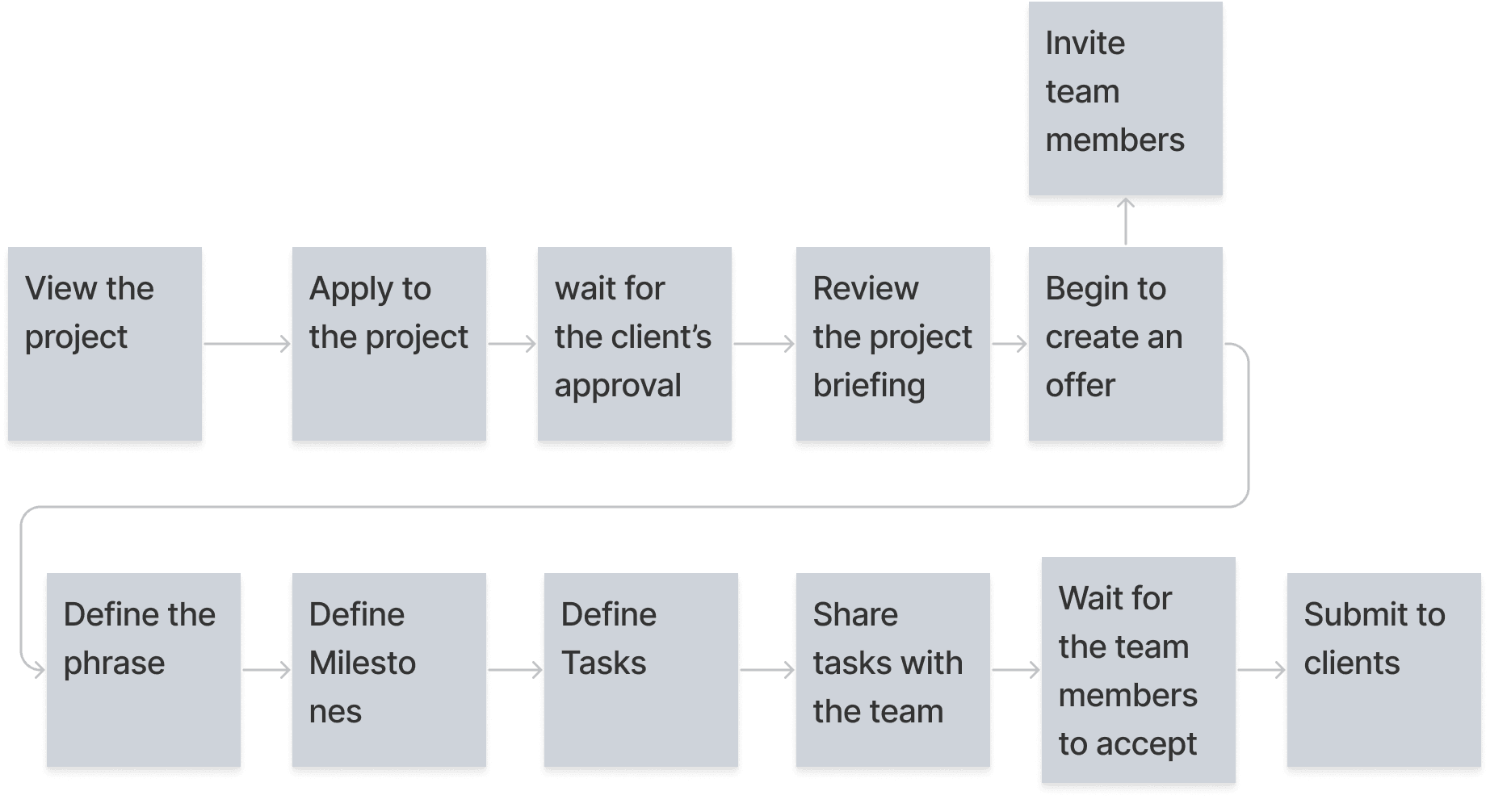
Current user flow of the offer page for the Vico lead
Vico leads assign tasks to team members within the offer page.
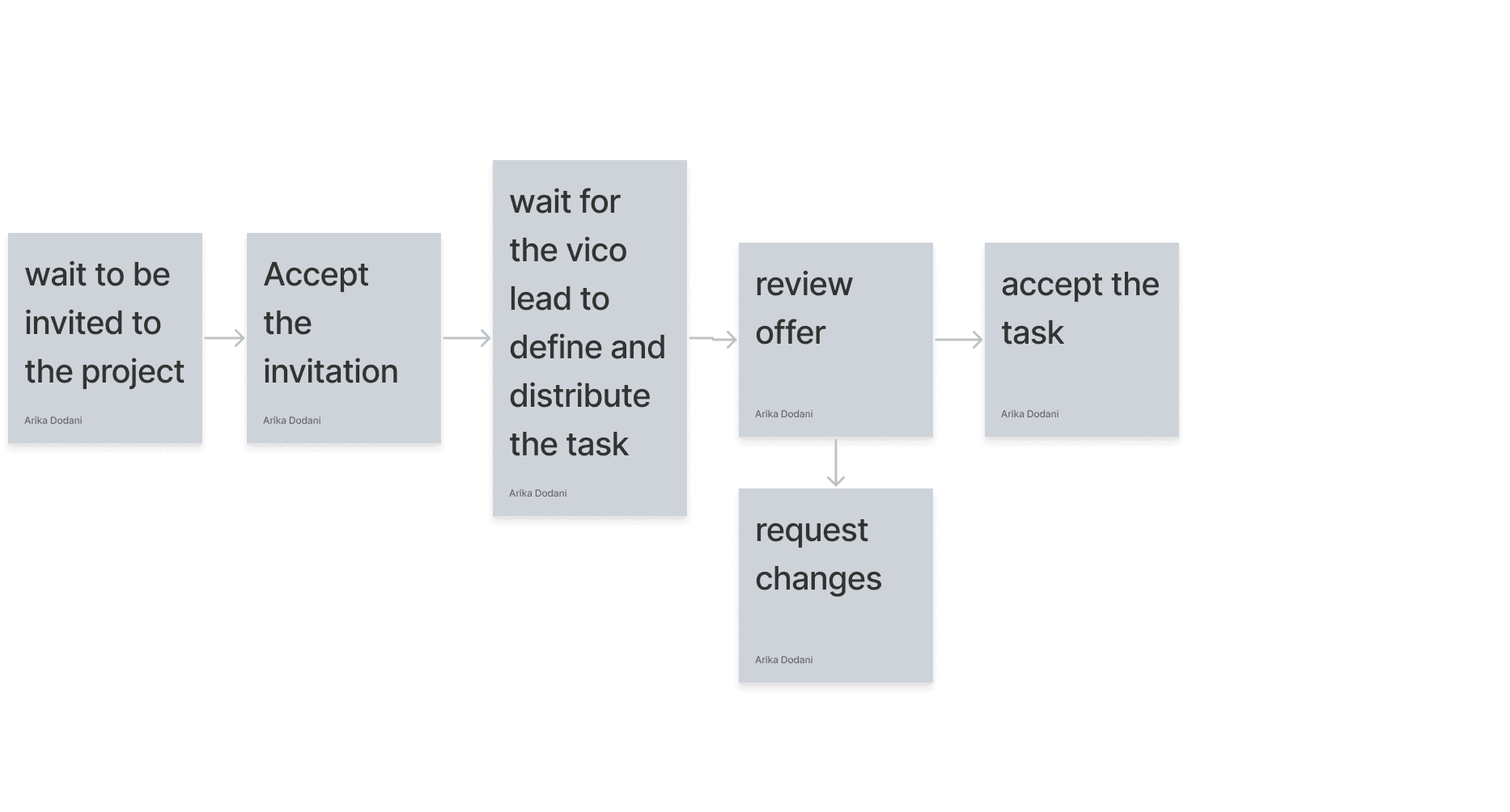
Current user flow of freelancers
Freelancers have to be invited to join a project and cannot reach out to Vicos from the platform.
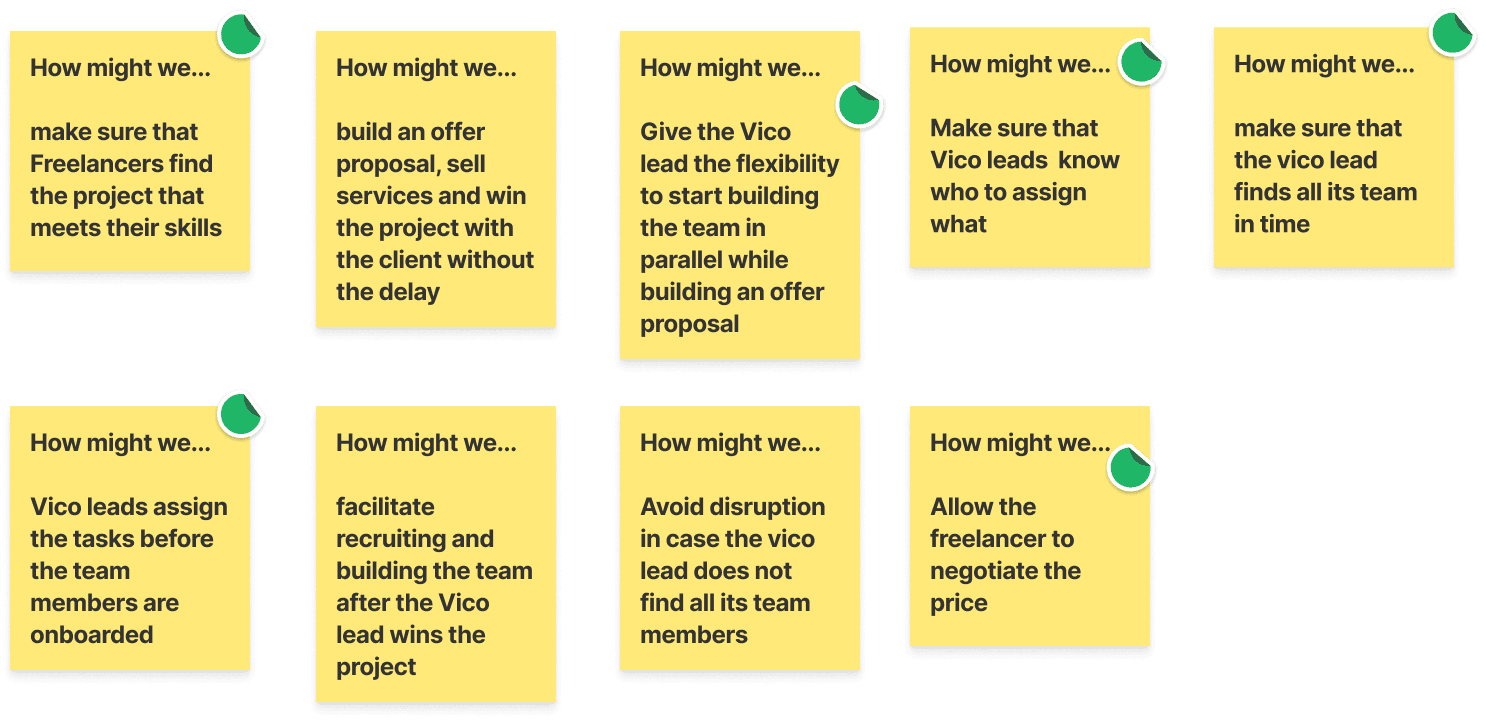
Reframing the challenges as opportunities
The challenges were rephrased as How Might We statements to get into a solution-driven mindset. The plan was to overcome the obstacles that might prevent Vico leads and Vico members from achieving their goals.
Ideate
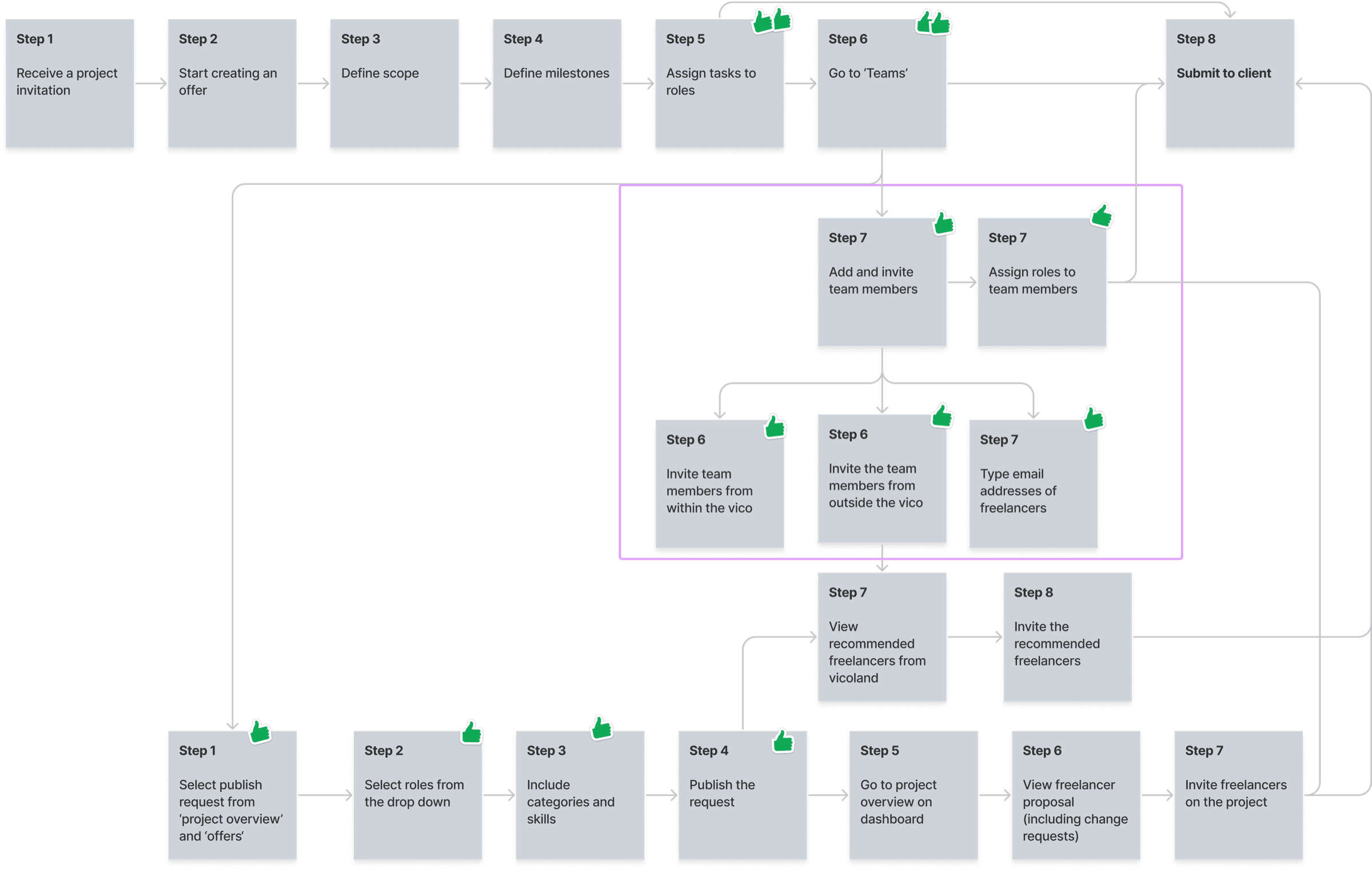
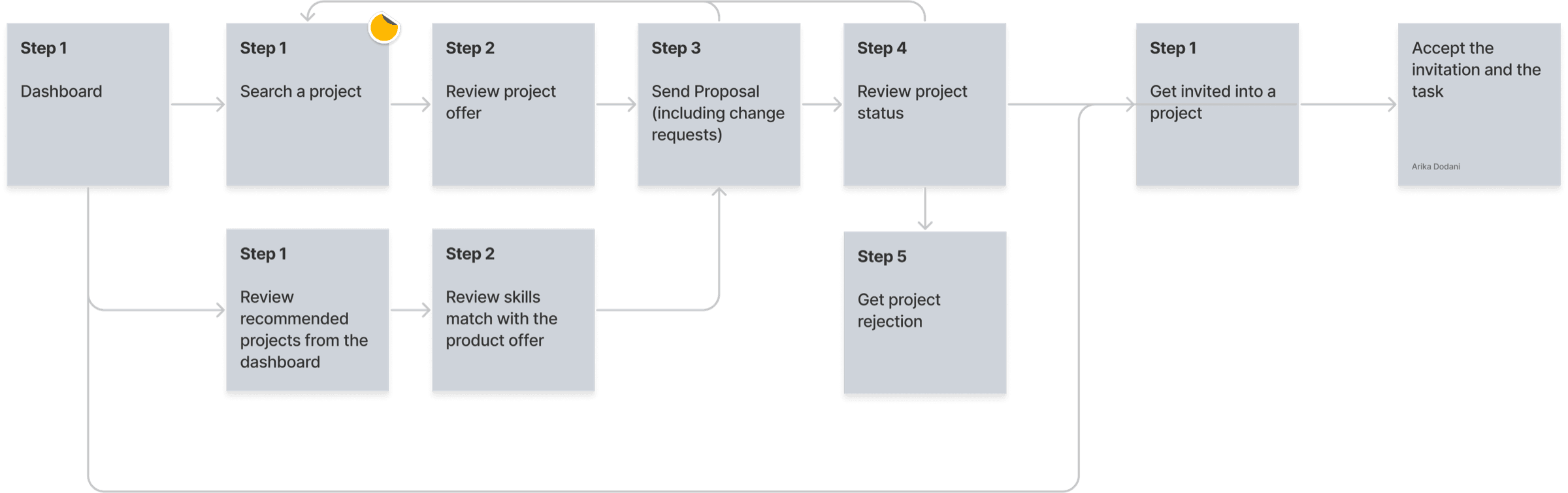
What additional steps can we add to the existing Vicoland user flow to overcome these challenges and help our users achieve their goals? I iterated on the existing user flow to map out a journey that fulfils each user goal.
Proposed user flow of a Vico lead after receiving a project invitation
Proposed user flow of a Vico member from the dashboard
Inspiration and sketching
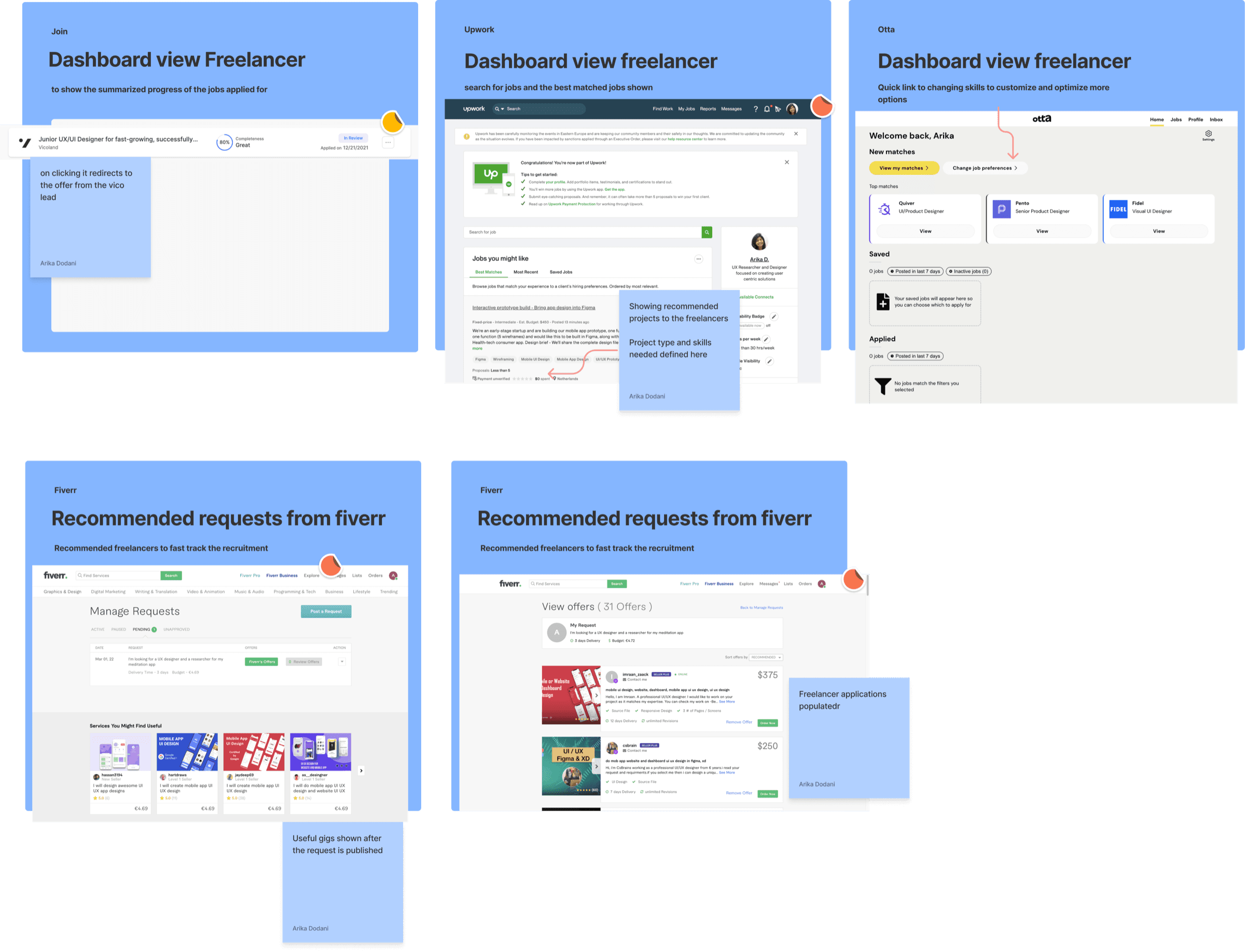
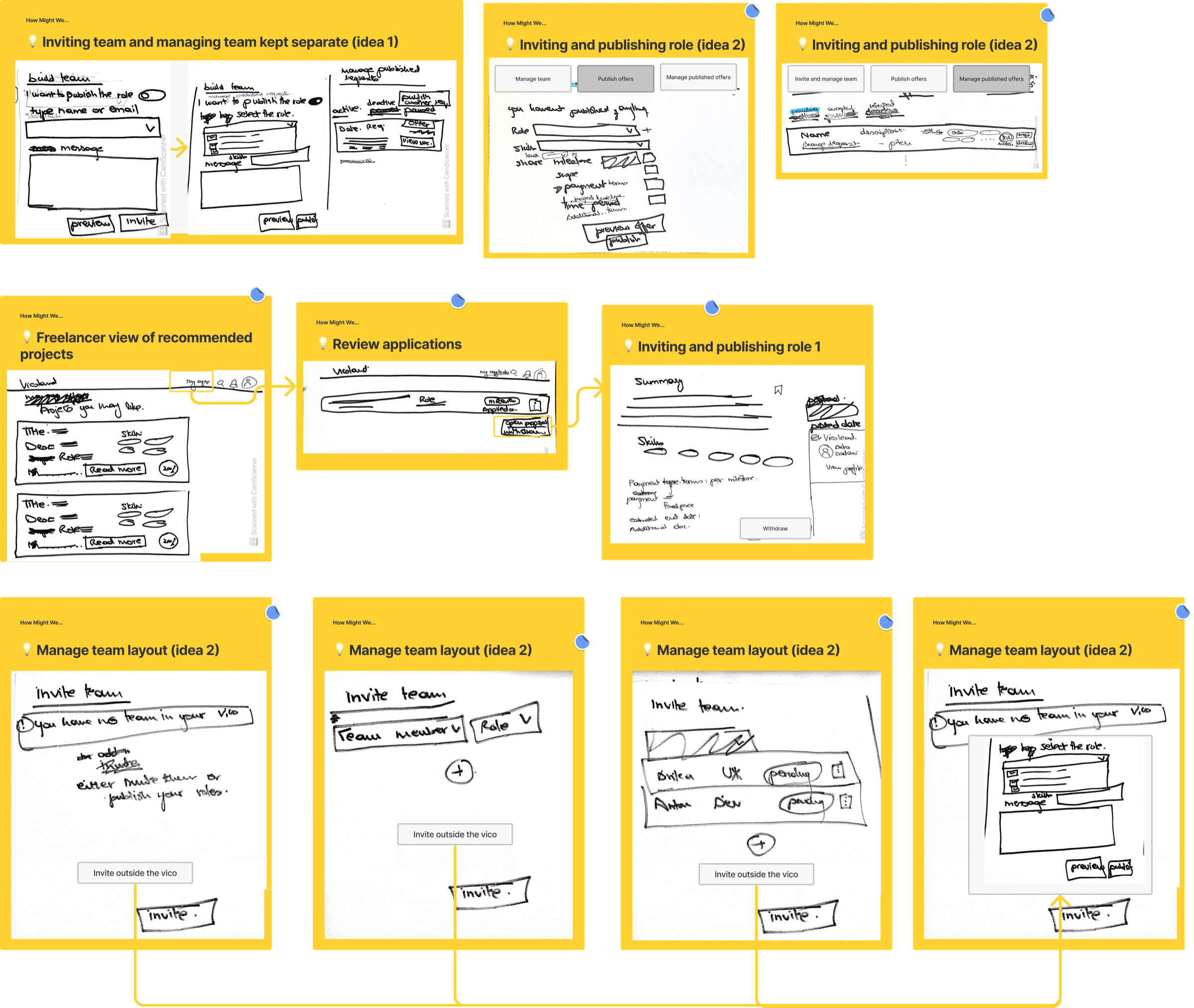
Next, I looked back at the competitor review and beyond for more inspiration. The goal was to explore what a freelancer’s dashboard could look like, with offers to join a team published by Vicos.
Assets
The assets were traced from screenshots of the Vicoland portal, and the font sizes were collected with the Font Ninja Chrome plugin. I built a small library of reusable components as I moved into visual design and prototyping.
Final screens
Use case 1: Vico lead
Current user flow
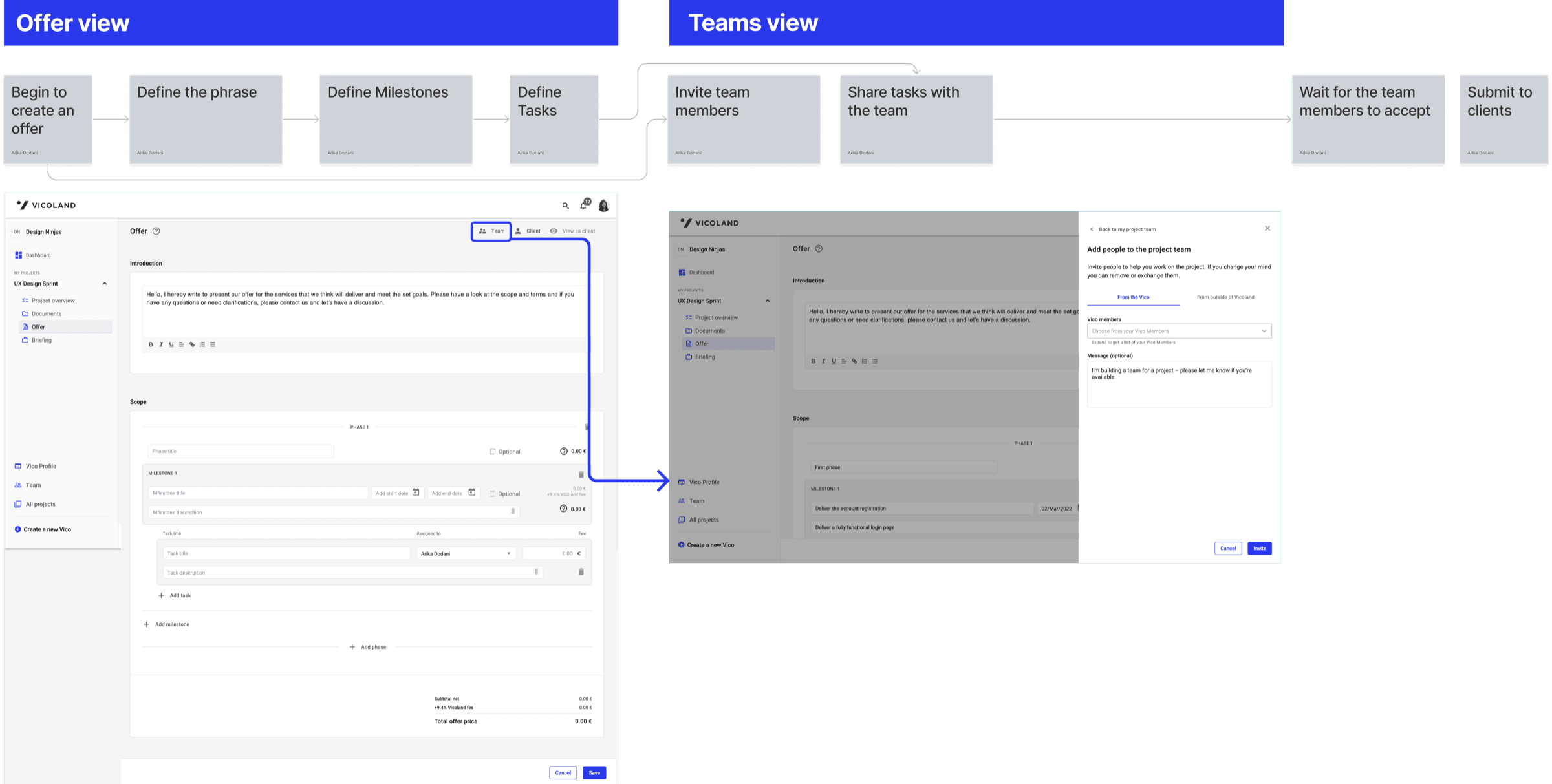
The whole process of creating an offer takes place on the offer page. A Vico lead has to predefine a Vico member next to every task before sending an offer to a client.
Proposed user flow
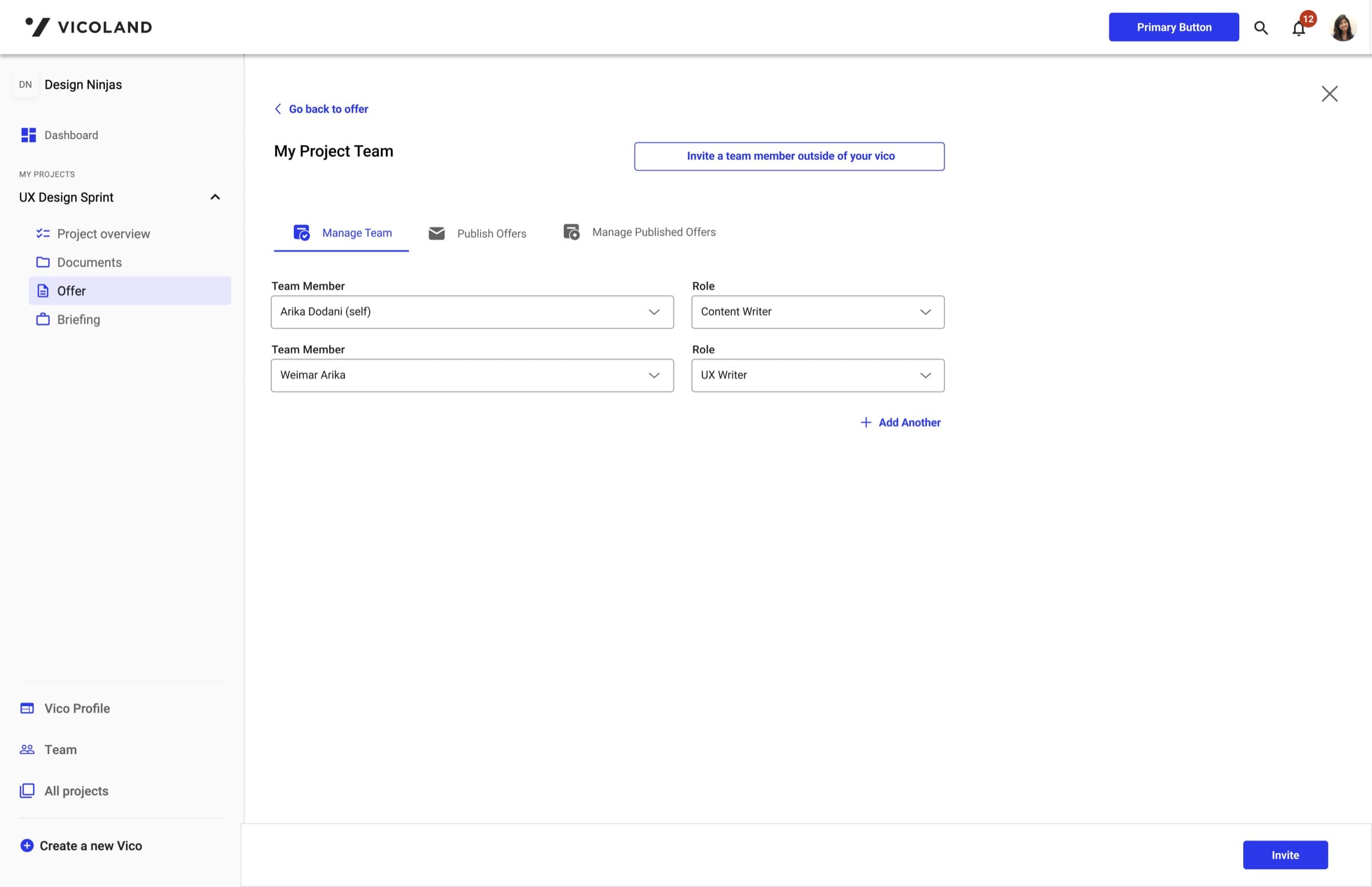
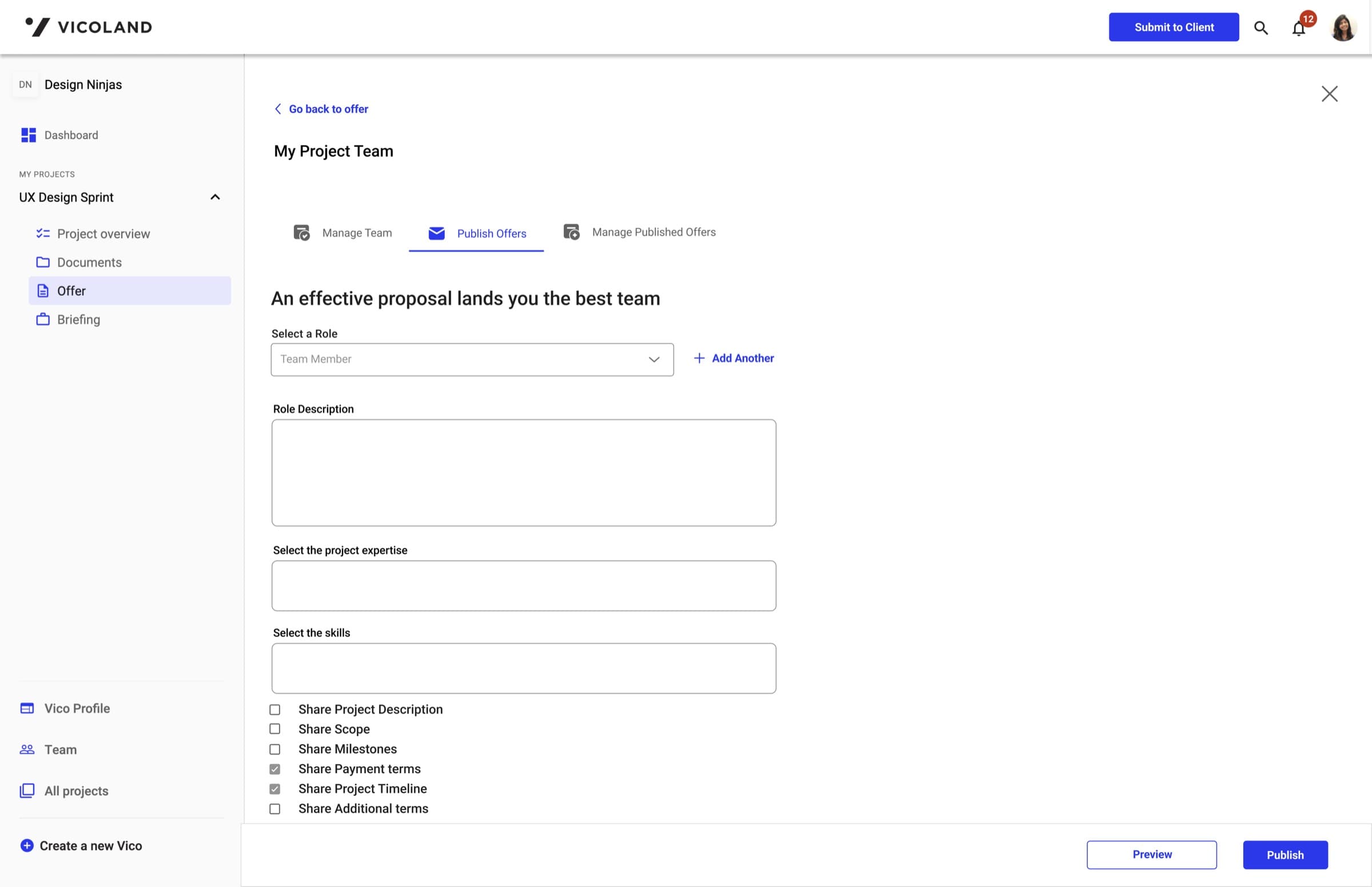
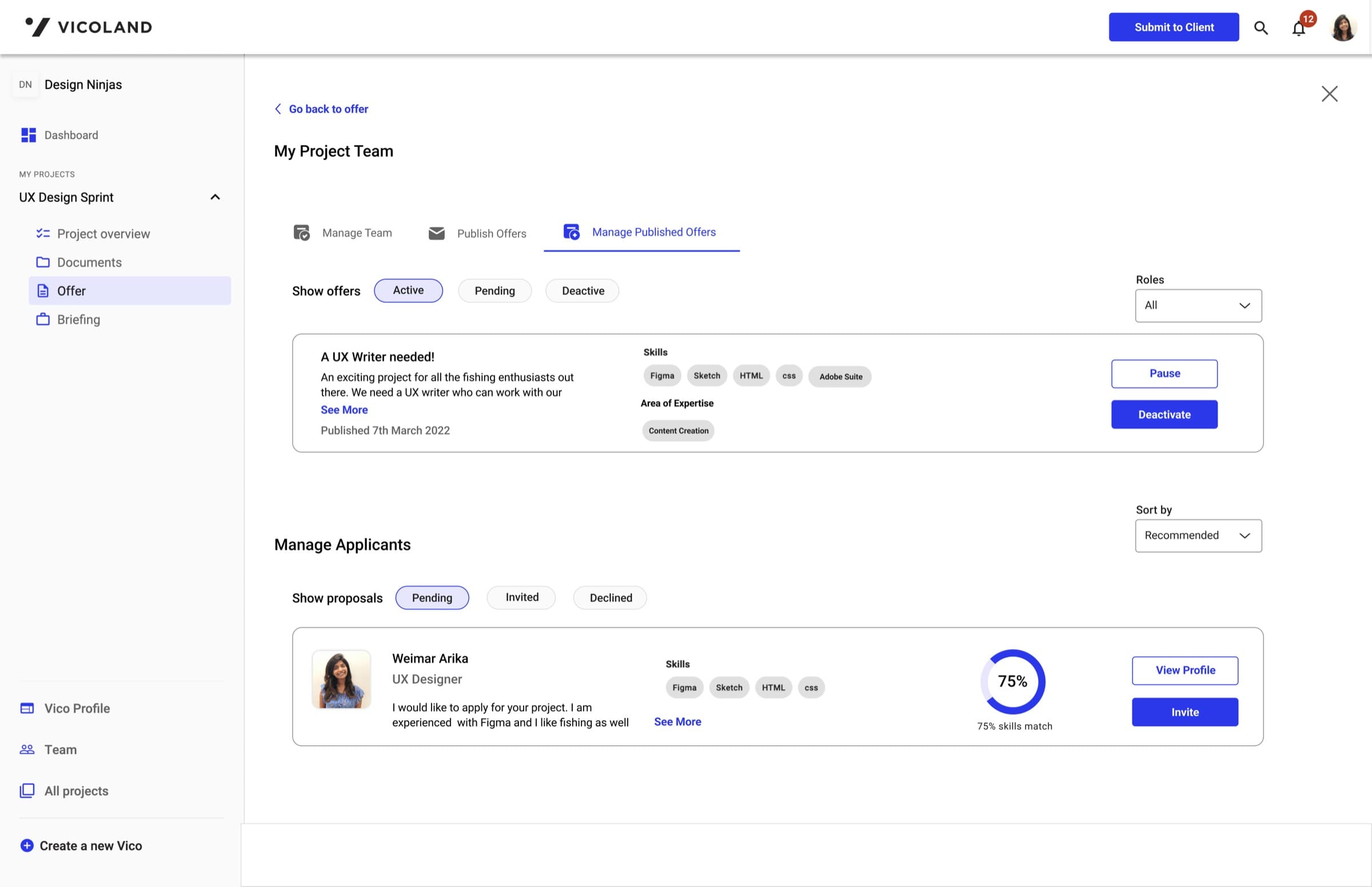
The Vico lead can allocate a task to a role instead of a Vico member. For the scope of this assessment, the Vico lead can assign and manage roles from the teams tab.
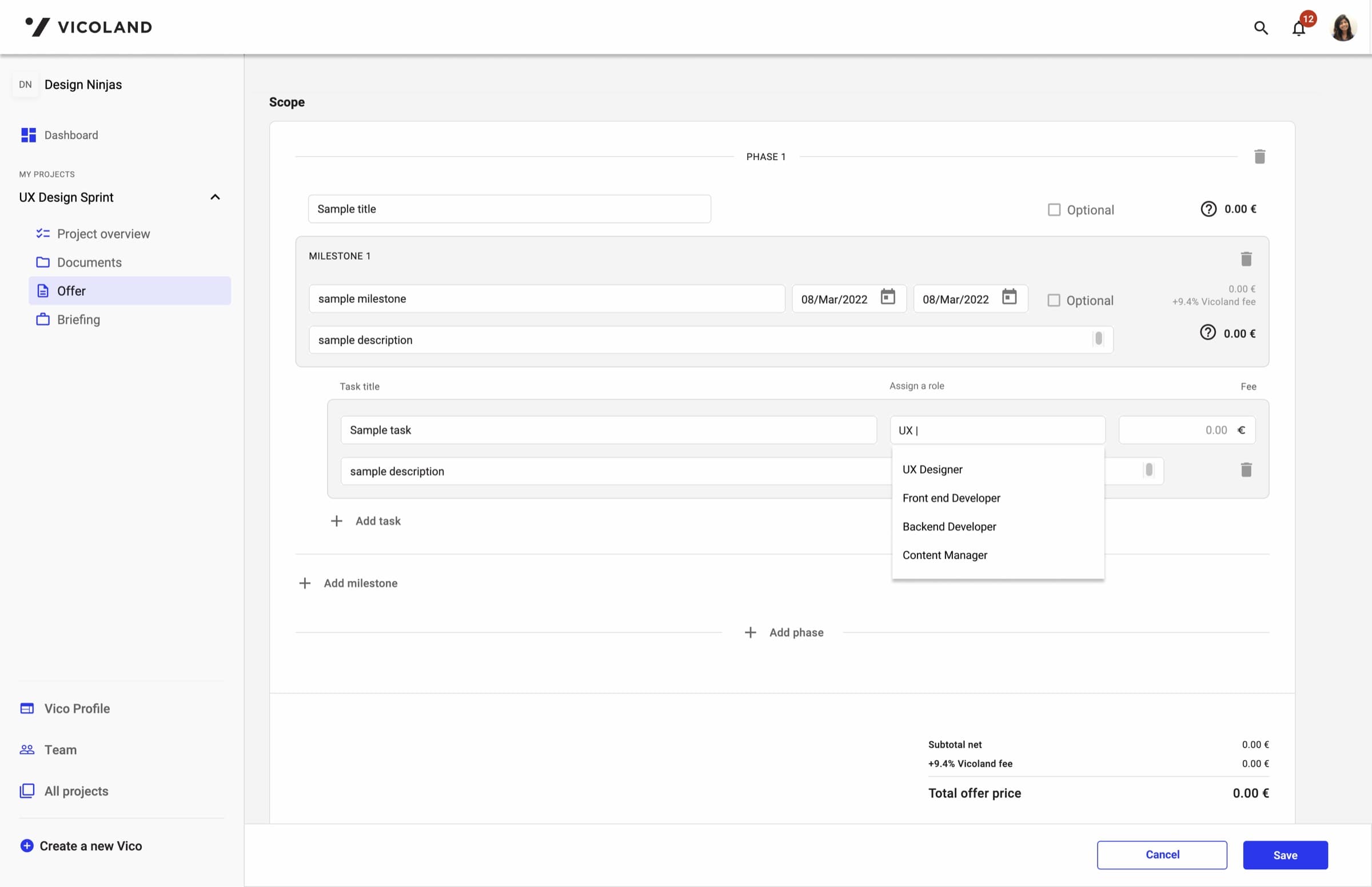
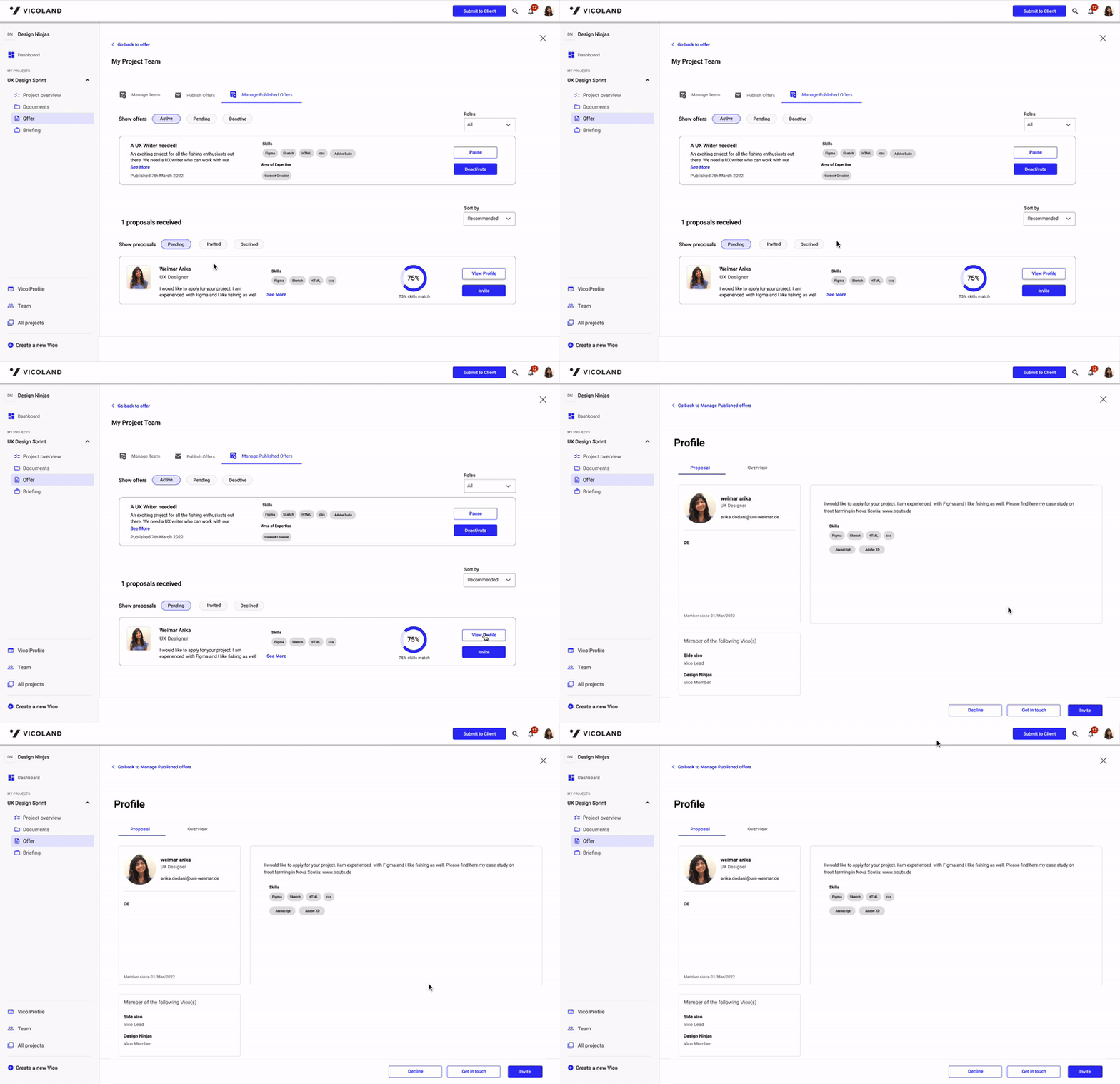
After selecting teams, the Vico lead lands on a screen where they can manage teams, manage and publish offers, and invite freelancers from outside their Vico. They can invite a freelancer directly, find one in the freelancer community, or publish a request for a freelancer with the skills that project needs.
Use case 2: Vico member
Currently, a freelancer waits for an invitation to join a Vico.
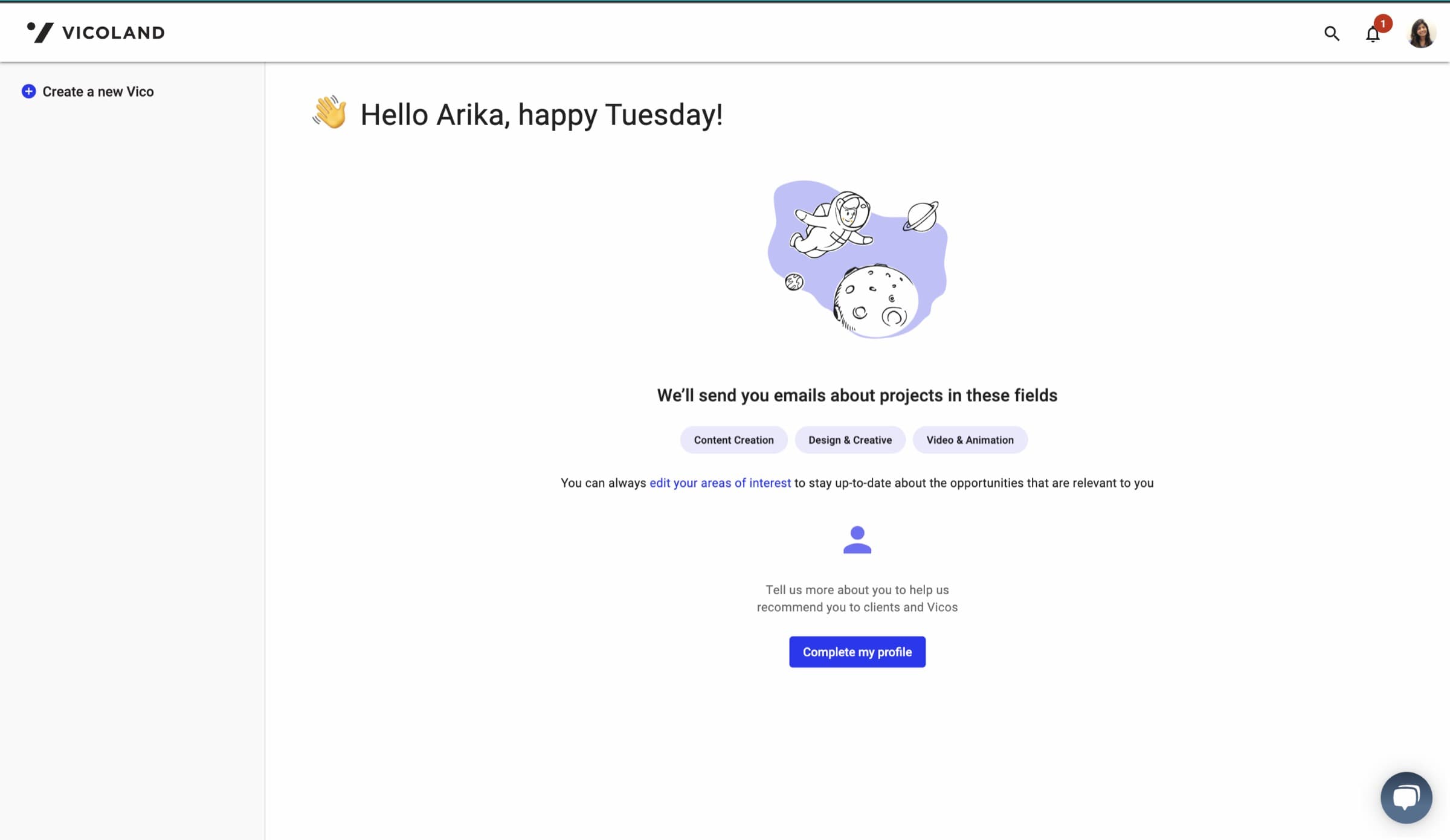
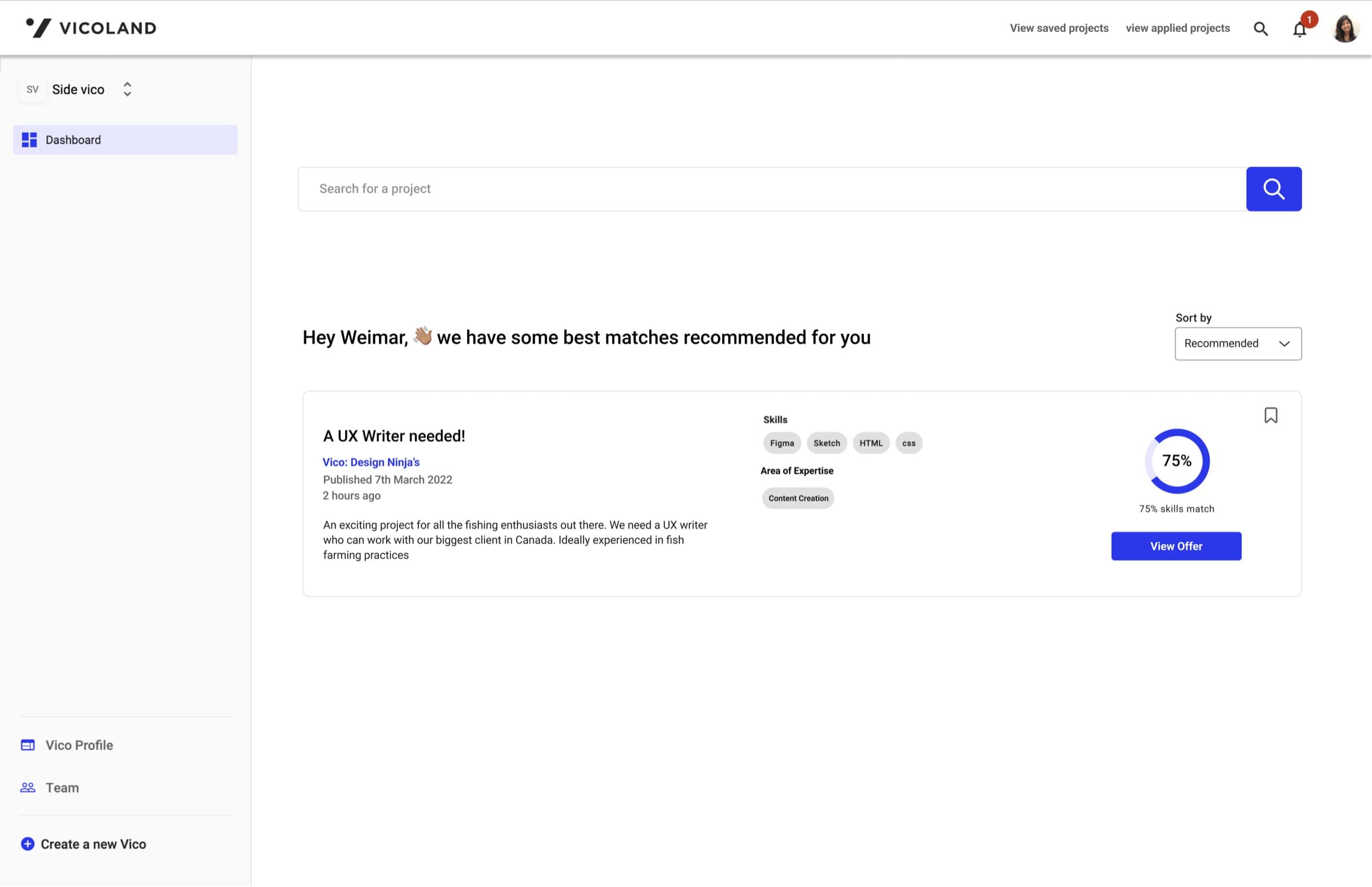
In the proposed design, freelancers can browse relevant Vico invitations and send in their proposal.