Hasty.ai: an assignment feature for allocating annotation within teams
Overview
Hasty uses AI to train AI, allowing companies with unique data to build and deploy vision AI applications faster and more reliably across any infrastructure. Their product uses annotated data to train AI models that make it faster to create more annotations. This continuously improving approach helps users build their data assets up to 12x faster.
In their current model, annotators upload a data set and then decide which images to work on based on the “image status”.
Problem
This process of selecting an image can be too simplistic for bigger teams, as the work distribution is not organised. Furthermore, annotator leads want to finish a part of the project, or delegate and distribute the work to the team from within the platform, especially in case of issues or re-annotation.
Task
The objective of this case study is to include annotation assignment features to optimise and allocate work, while factoring in the different needs and wants of 3 different users.
Outcome
- – Introducing image assignment capabilities within the team, along with setting the priority
- – Creating a dedicated view for the issues that are to be solved by annotators
The solution is based on Hasty’s current freemium subscription. The focus is on the process that leads to the proposed solution and how it would embed with the rest of the application. For the solution design I modified some components of IBM’s Carbon Design System to resemble the layout of the platform.
- Role and responsibilities
- Competitive analysis, ideation, sketching, solution design, prototyping
- Tools
- Figma, FigJam
- Time
- 14 hours
Design process
- 1. Problem DiscoveryCompetitor review3 use cases (provided by the stakeholder)
- 2. Problem DefinitionAffinity diagramHMWs (challenges and opportunities)
- 3. Solution DevelopmentUser flow of the solutionMood boardingLow fidelity sketching
- 4. Solution DeliveryHigh fidelity prototypeSetting up assets and components
Step 1: Problem discovery
Understanding the product and the competition
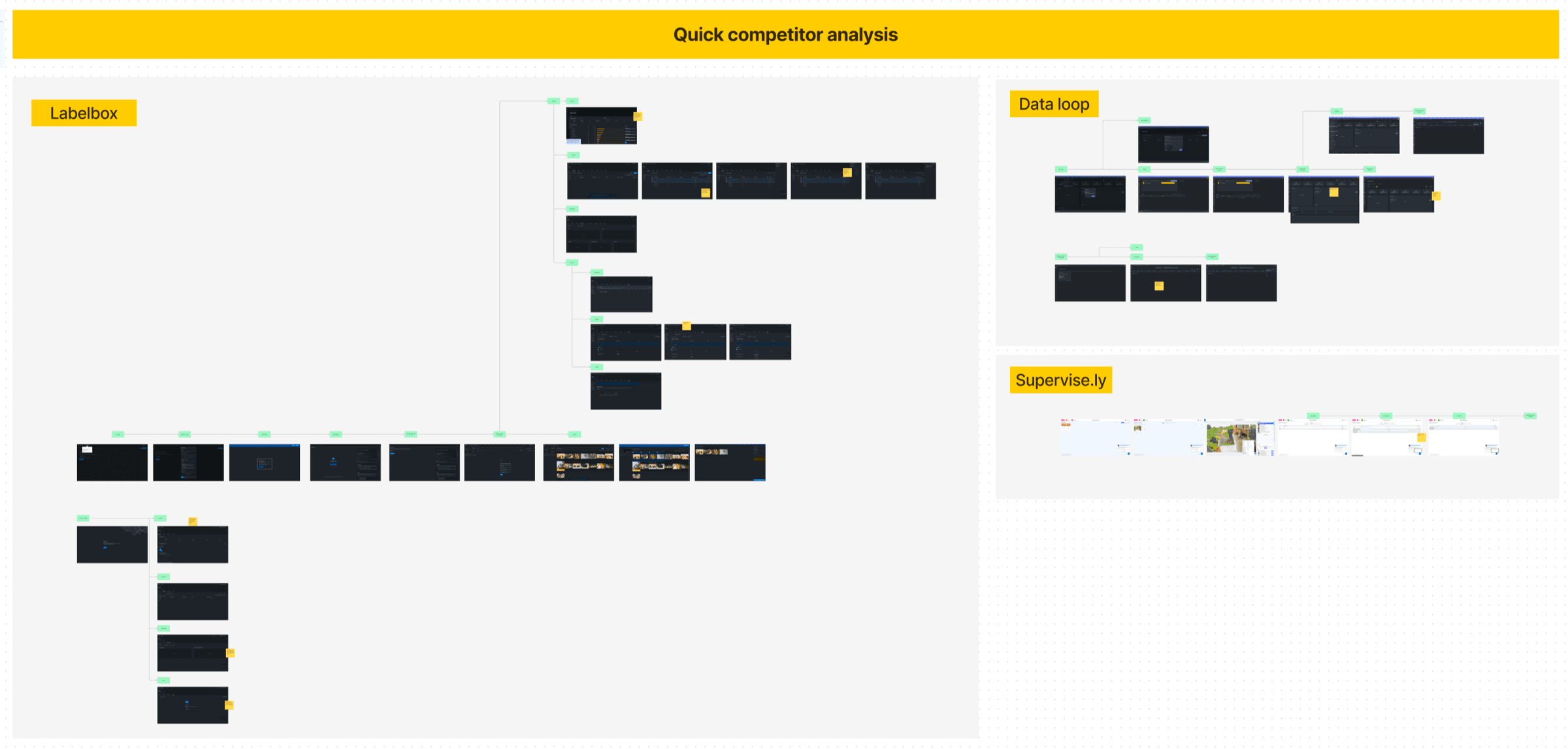
To understand the product and its user space, I briefly reviewed the user flow of Hasty.ai and three of its competitors. Based on the problem statement in the brief and the use cases, I chose competitors that had annotator statistics, data import and export, and version control, to explore the possibility of role management and allocation.
The competitor list was shortlisted from this overview of image annotation tools.

- – Images can have a rework status
- – Contributors can manage their own performance and quality
- – Annotation leads can review the progress in real time
- – List view for quick search and reassignment
- – Separate page for issues

- – A status ‘with issues’ is shown as well
- – Annotation progress available under analytics
- – Role management is defined

- – Statistics to review the progress
Extracting the pain points from the use cases
Based on the use cases provided by Hasty.ai, I extracted the user pain points along with the recommendations and needs they expressed. The use cases are based on real Hasty users, but are composites created from many interviews and discussions Hasty’s team had with them.
- User 1Annotation provider – Project manager
- – Wants to assign images in batches or any other way to the annotators
- – Annotators should be prompted about assignment and priority
- – Would like to move away from managing prioritisation and assignments in spreadsheets
- User 2Annotation provider – Annotation team lead
- – Manages workload amidst varying experience
- – Reorganises work based on member absences
- – Needs to check for quality
- – Issues are communicated in Teams and logged in spreadsheets
- User 3Annotator
- – Work needs to be efficient and high quality
- – Emails and messages about changes disrupt concentration
- – It’s important that there’s always another image to work on, which saves time finding more work
- – Wants to reassign an image from time to time for edge cases
Step 2: Problem definition
Assembling the data: affinity mapping
The insights from the competitor overview and the use cases were clustered to identify recurring themes and gaps. Initially I used the pain points from the use cases, but then noticed that the competitors had ideas that could address or map onto those emerging themes. Because of the time constraint I only did one iteration of mapping.
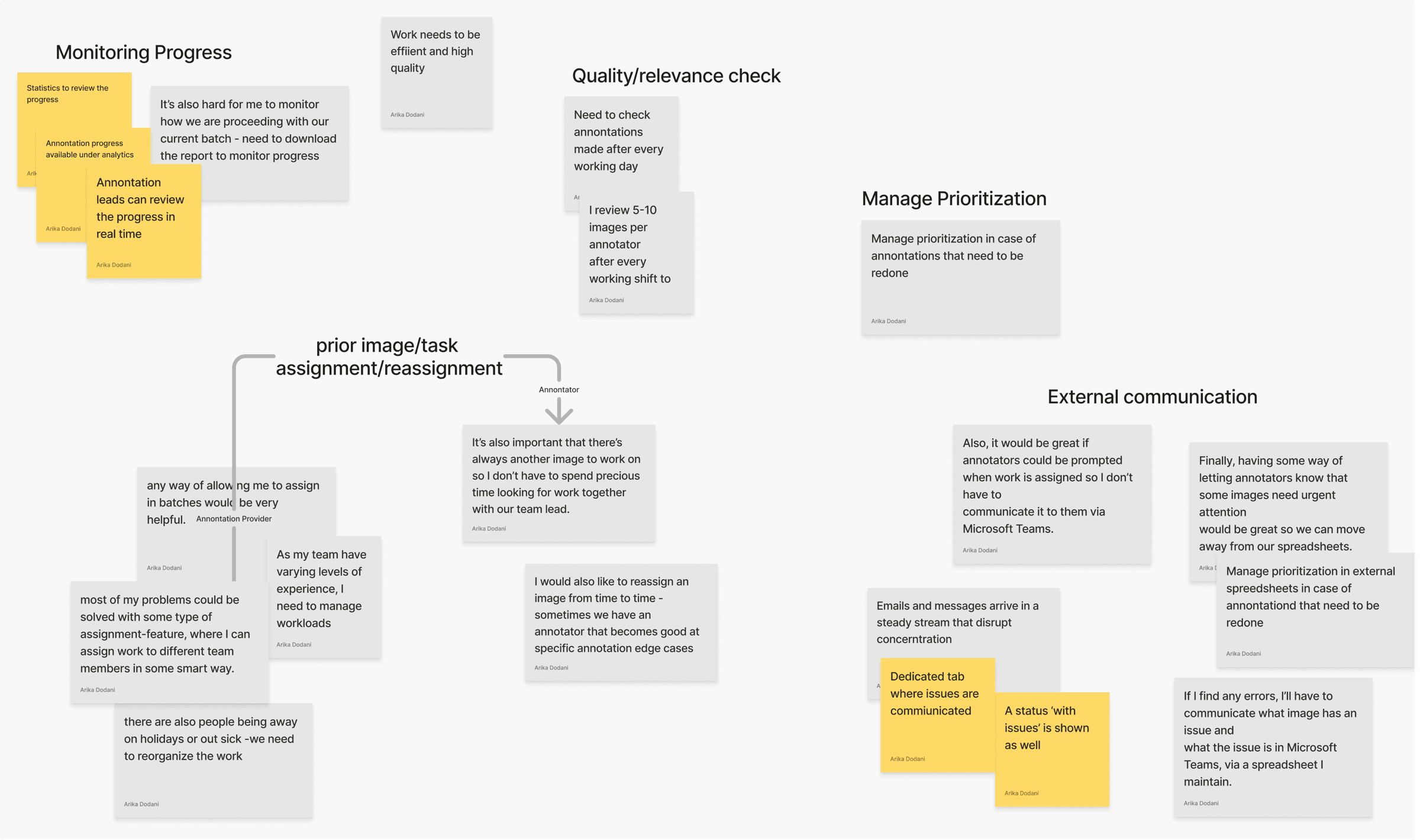
Emerging themes and challenges from the affinity mapping
- Prioritisation management
- – Annotation providers need to prioritise images
- Prior image and task assignment
- – Annotation providers and annotators would like to reassign images
- – Annotation providers need to prioritise images
- Quality and relevance check
- – Annotators have the pressure to yield high quality work fast
- – Annotation providers have to check for quality and relevance at the end of the day
- External communication
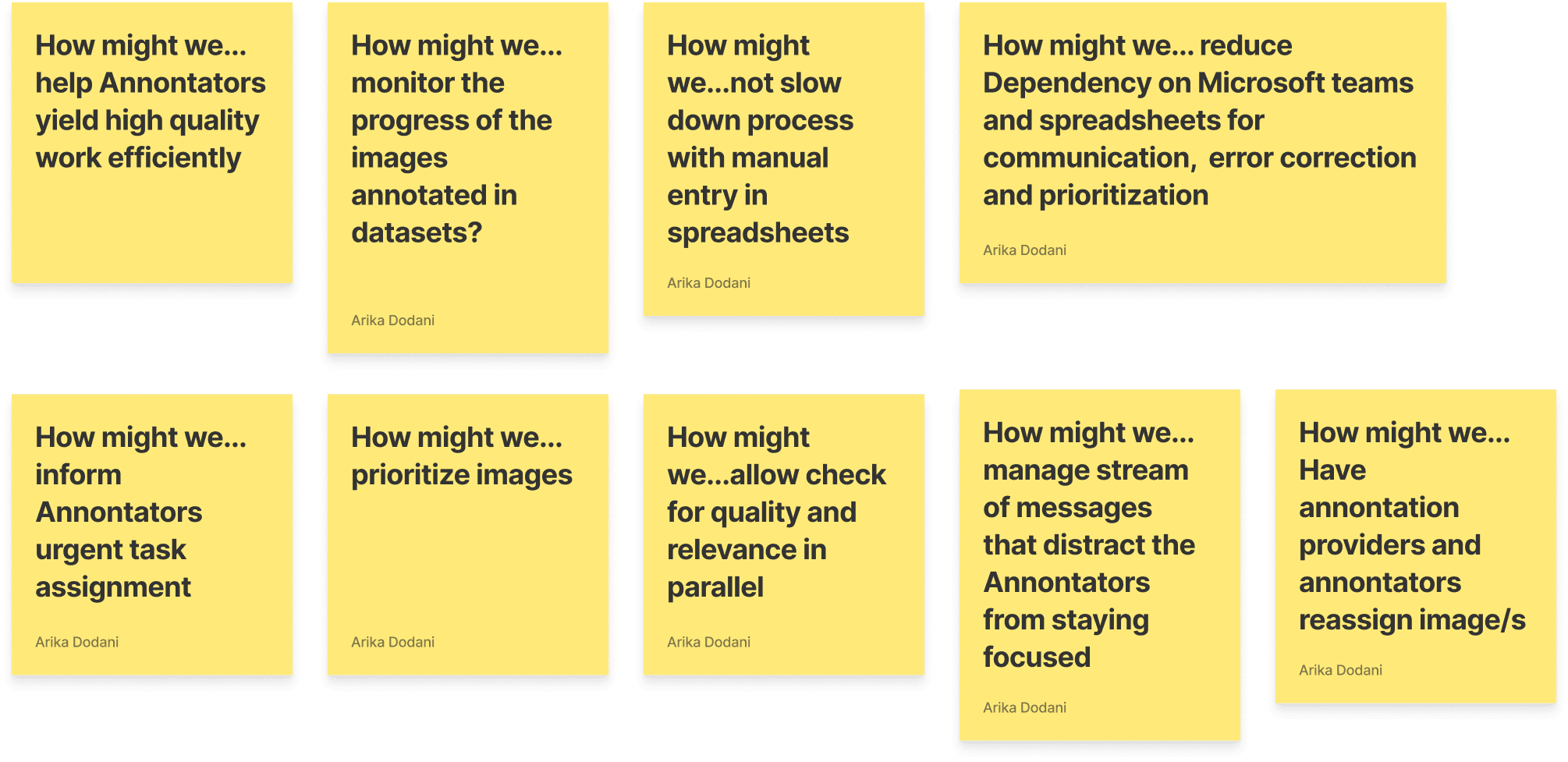
- – We could be slowing down the process with manual entry and prioritisation in spreadsheets
- – Annotators have to be informed externally about urgent task assignments
- – A stream of messages distracts annotators from staying focused
- Monitoring progress
- – Can we monitor the progress of the images annotated in datasets?
Let’s reframe these challenges as opportunities
Step 3: Solution development
My first step was to define the end-to-end user flow that addresses the challenges. For this assessment I focused on two use cases: the annotation provider and the annotator.
Current user flow
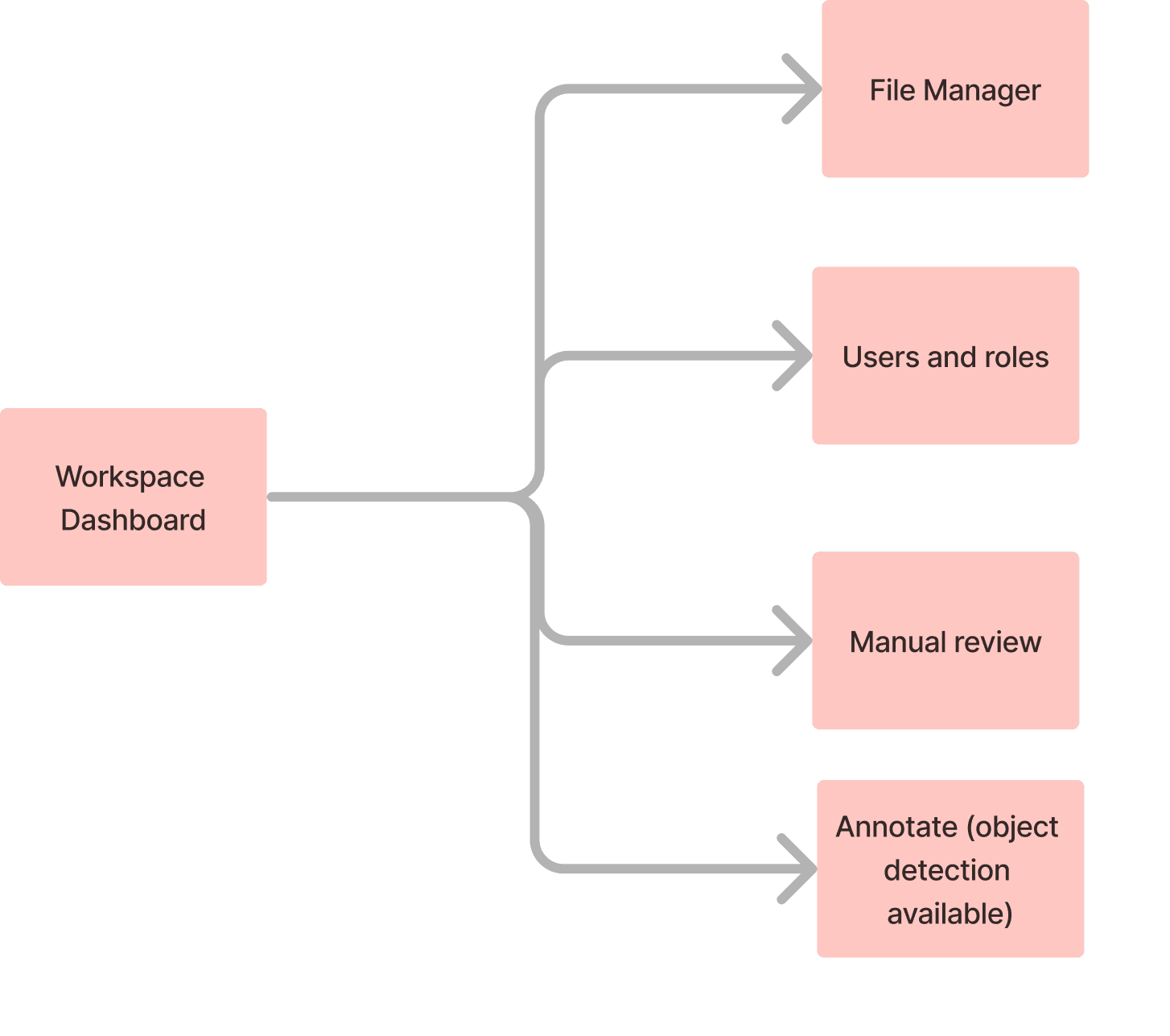
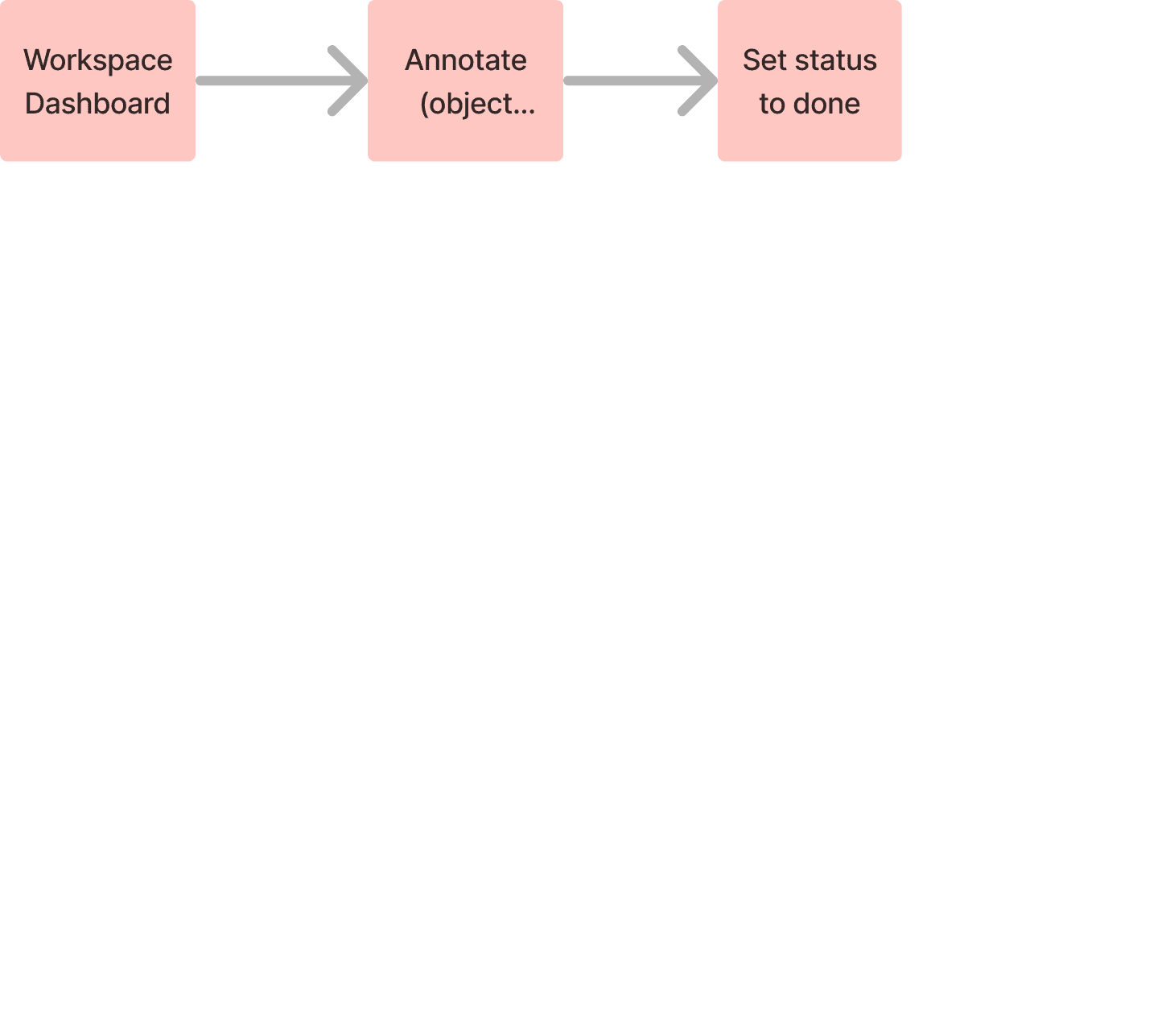
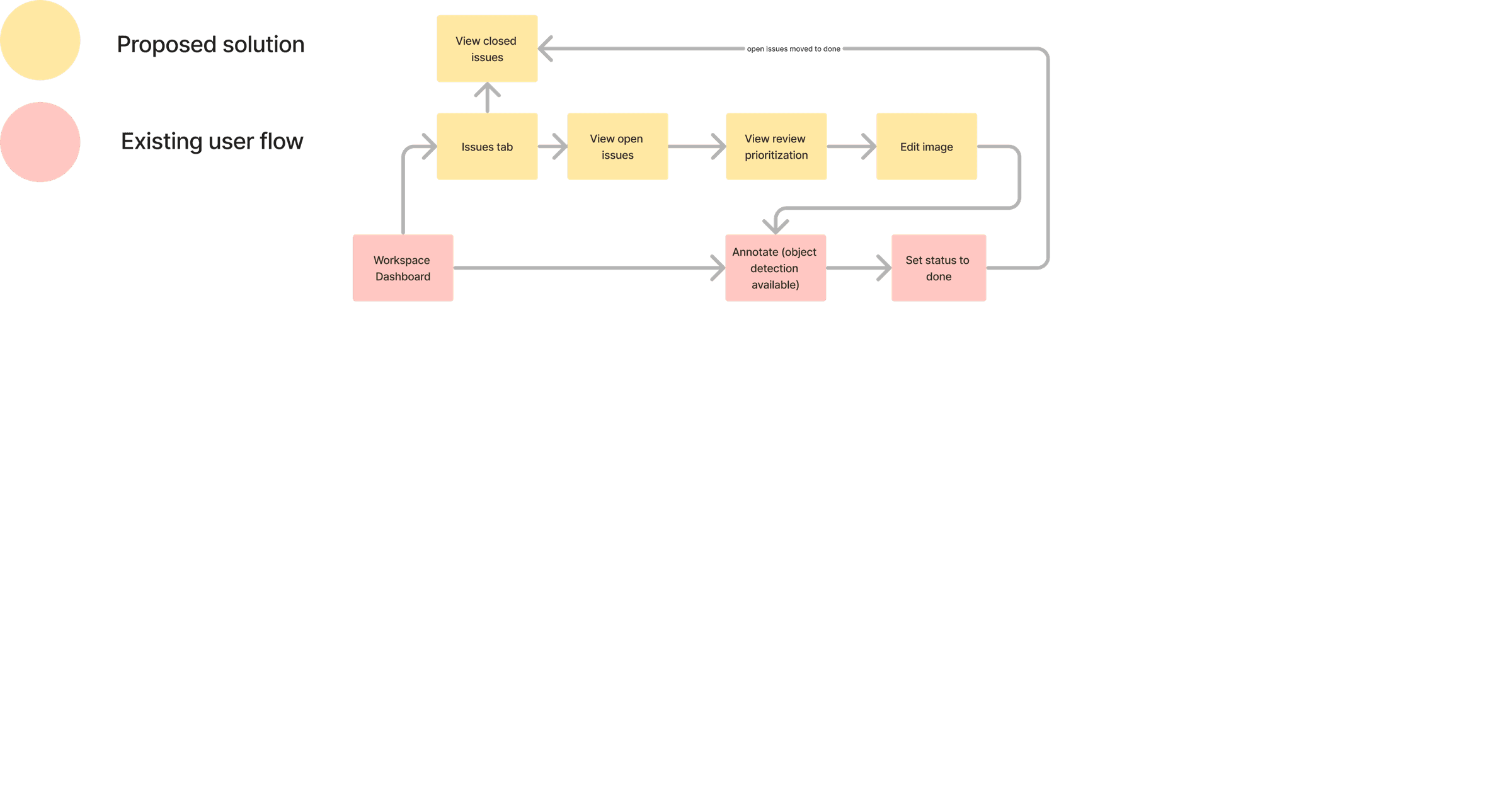
The current user flow of Hasty.ai, from the workspace dashboard after creating a project, is as below.
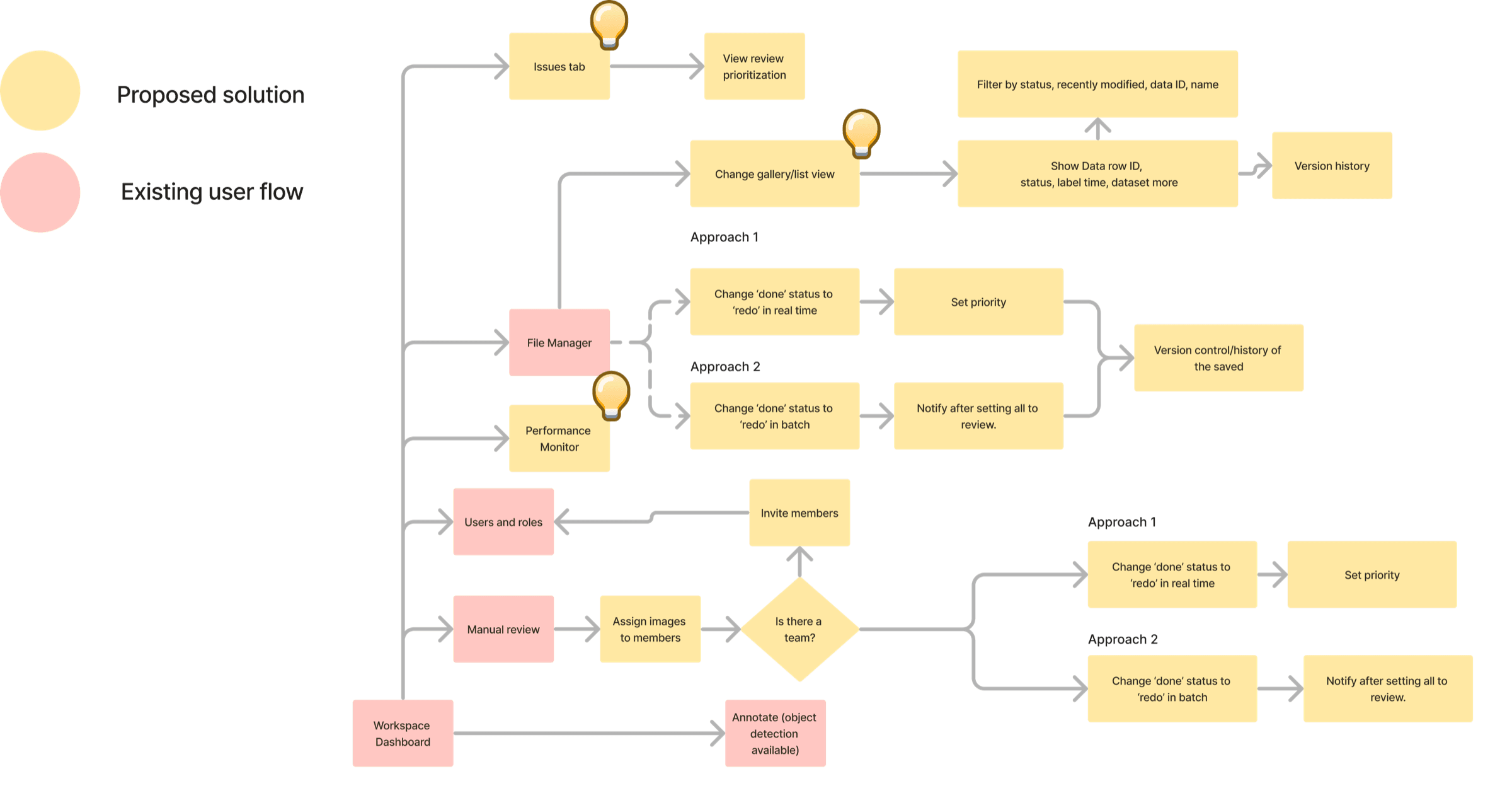
Based on the emerging themes from the affinity mapping, and for the scope of this assessment, I focused on the opportunity area of assigning images to other annotators in the team along with setting the priority.
Proposed solution in an existing user flow
Inspiration for the proposed user flow
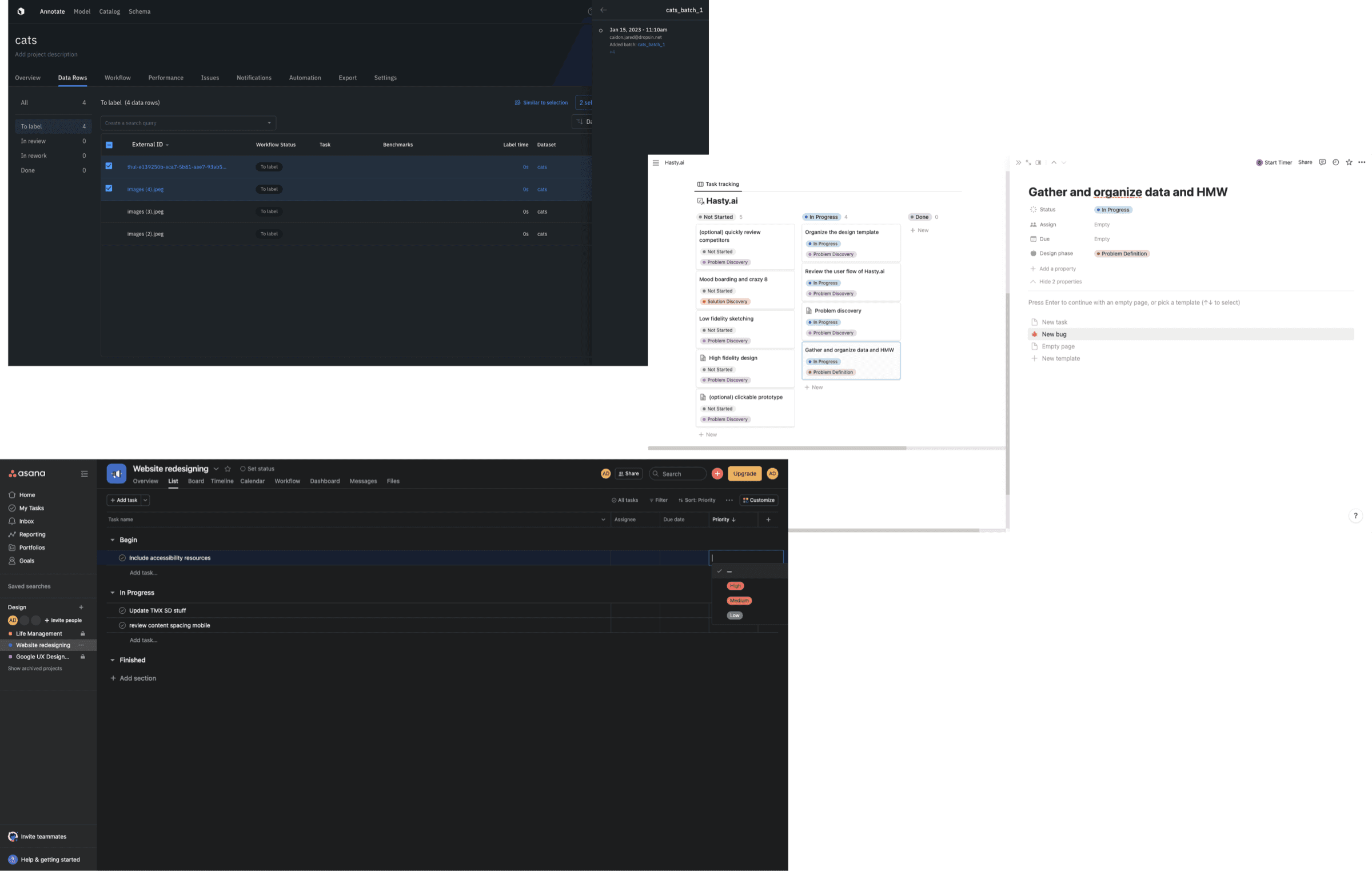
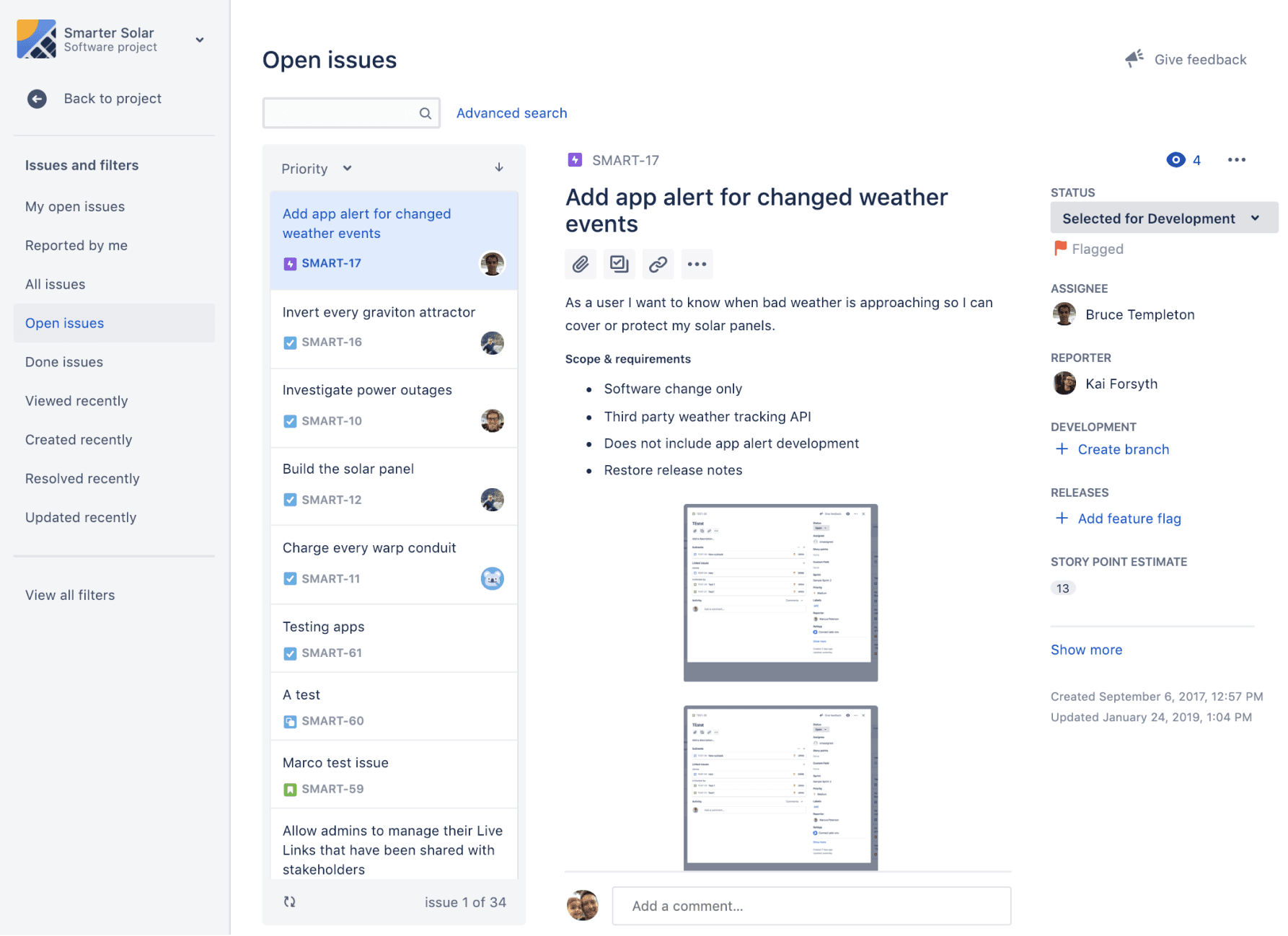
I reviewed several task management and tracking tools such as Jira, Notion and Asana, as well as Labelbox’s list view, to understand how task managers visualise work.
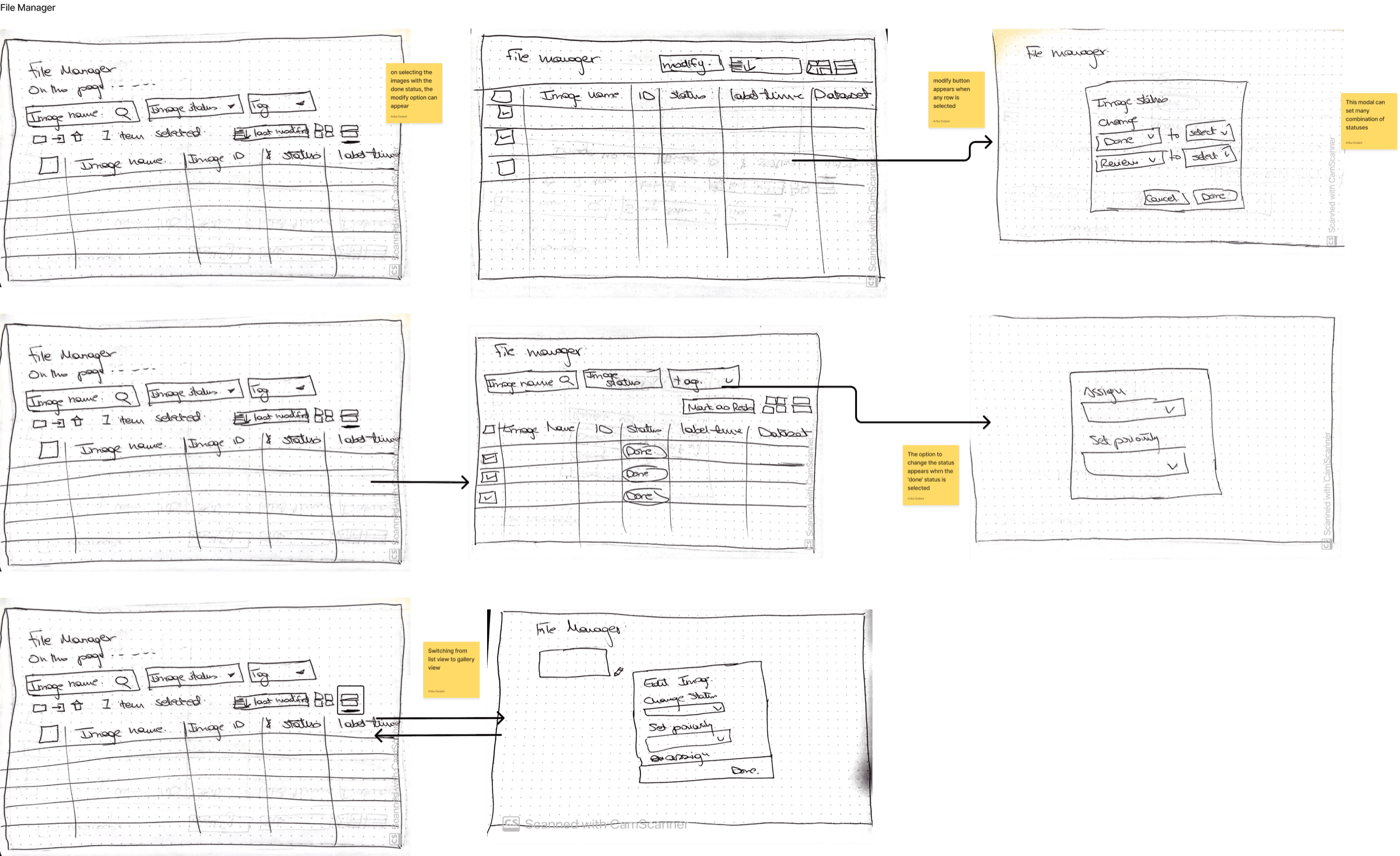
Notion was especially interesting to explore, as users can set a database to a list, thumbnail or Kanban view. Users also recognise from file managers on Mac and Windows that switching to list view shows more details about a file.
Sketches
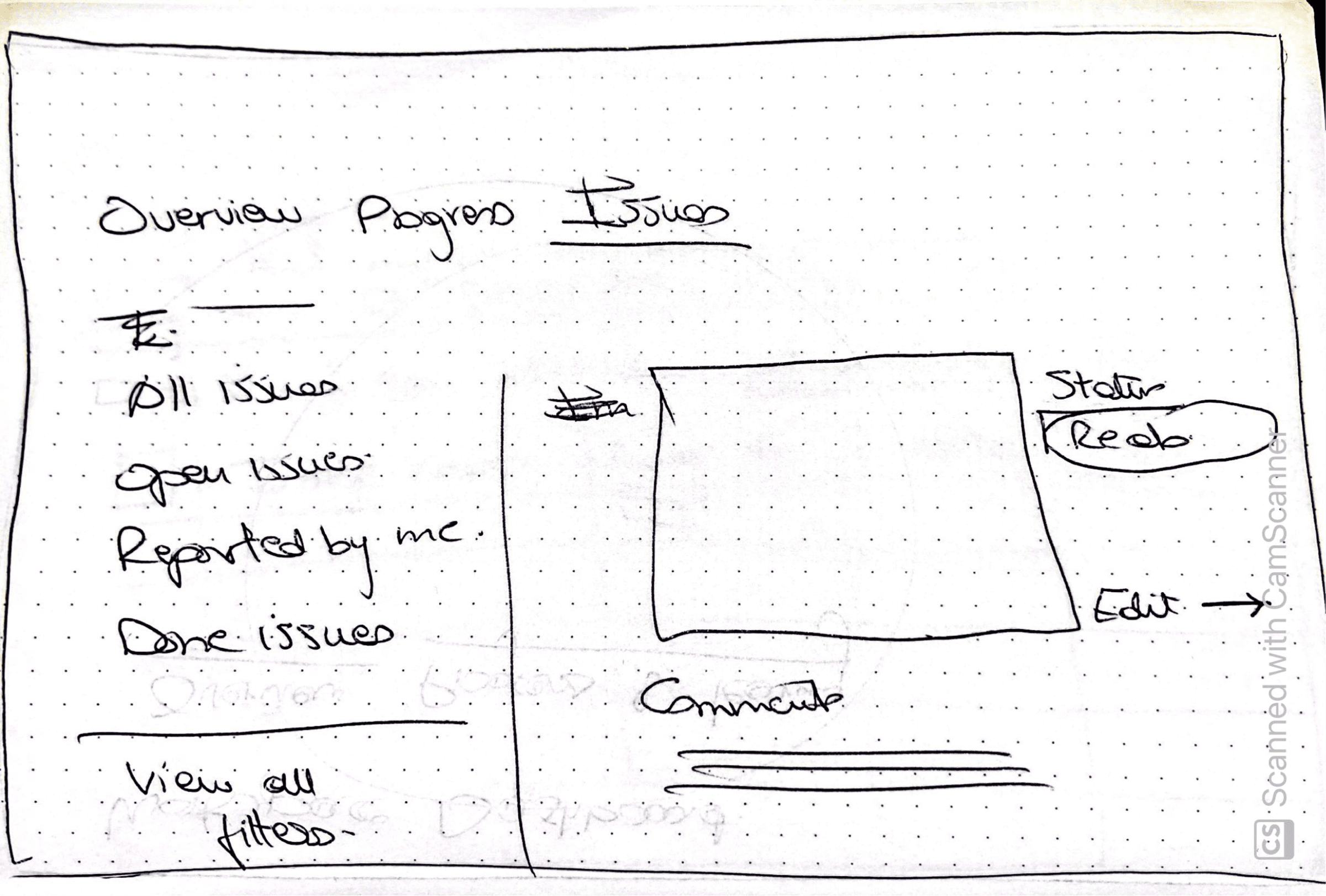
Step 4: Solution delivery
The solution design focuses on two areas:
- – An issues tab in the workspace
- – A thumbnail view that can change to a list view for image assignment
The use case of performance management and image assignment from the manual review page has not yet been handled.
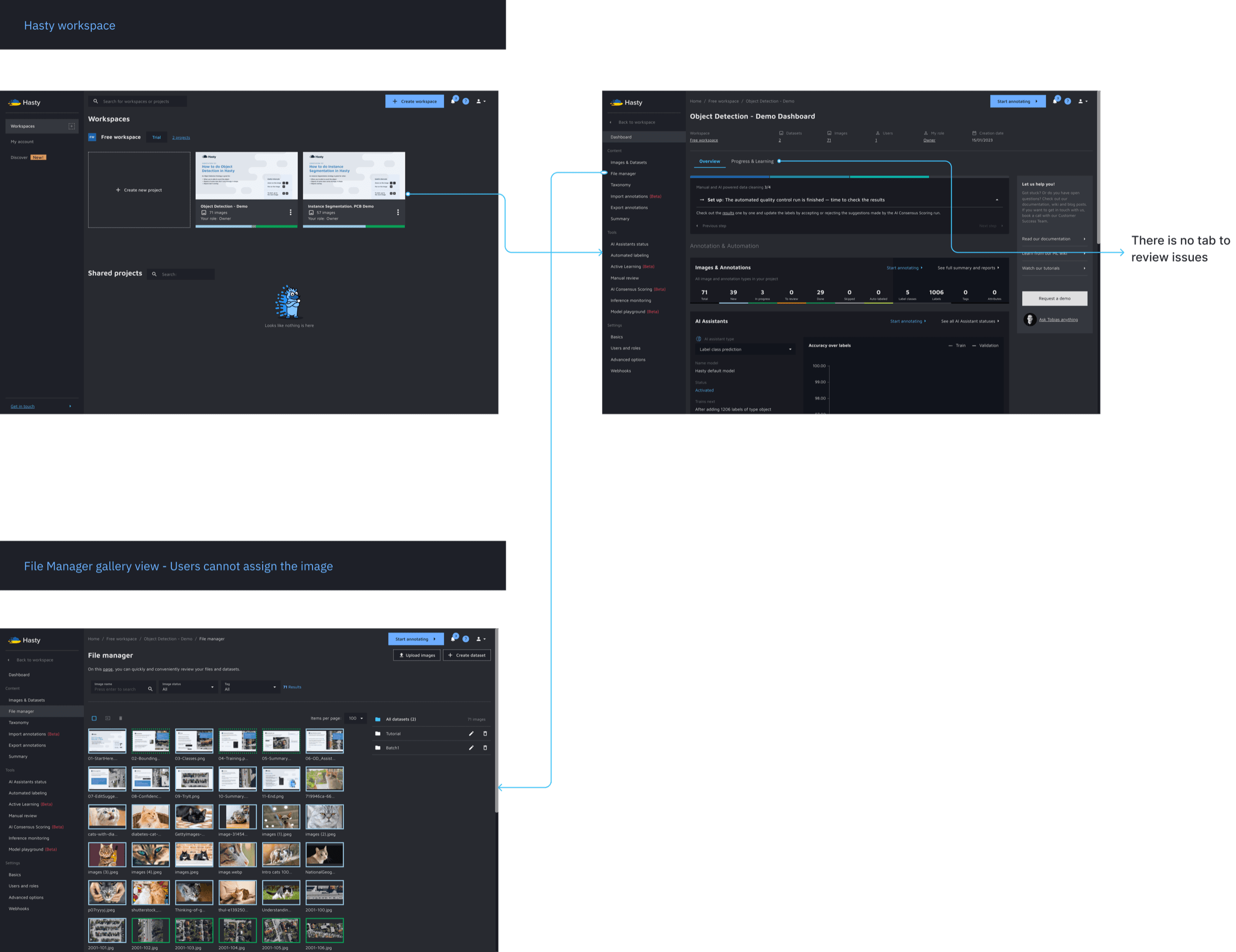
Current design
In the current layout there is no tab to review issues, and the file manager has no image assignment feature. On selecting an image, the user is redirected to annotate it.
Proposed design
1. Issues tab in the workspace
In the proposed design, annotators and annotation providers get a tab where they can review rework issues and filter them by priority, and by issues assigned to and by them.
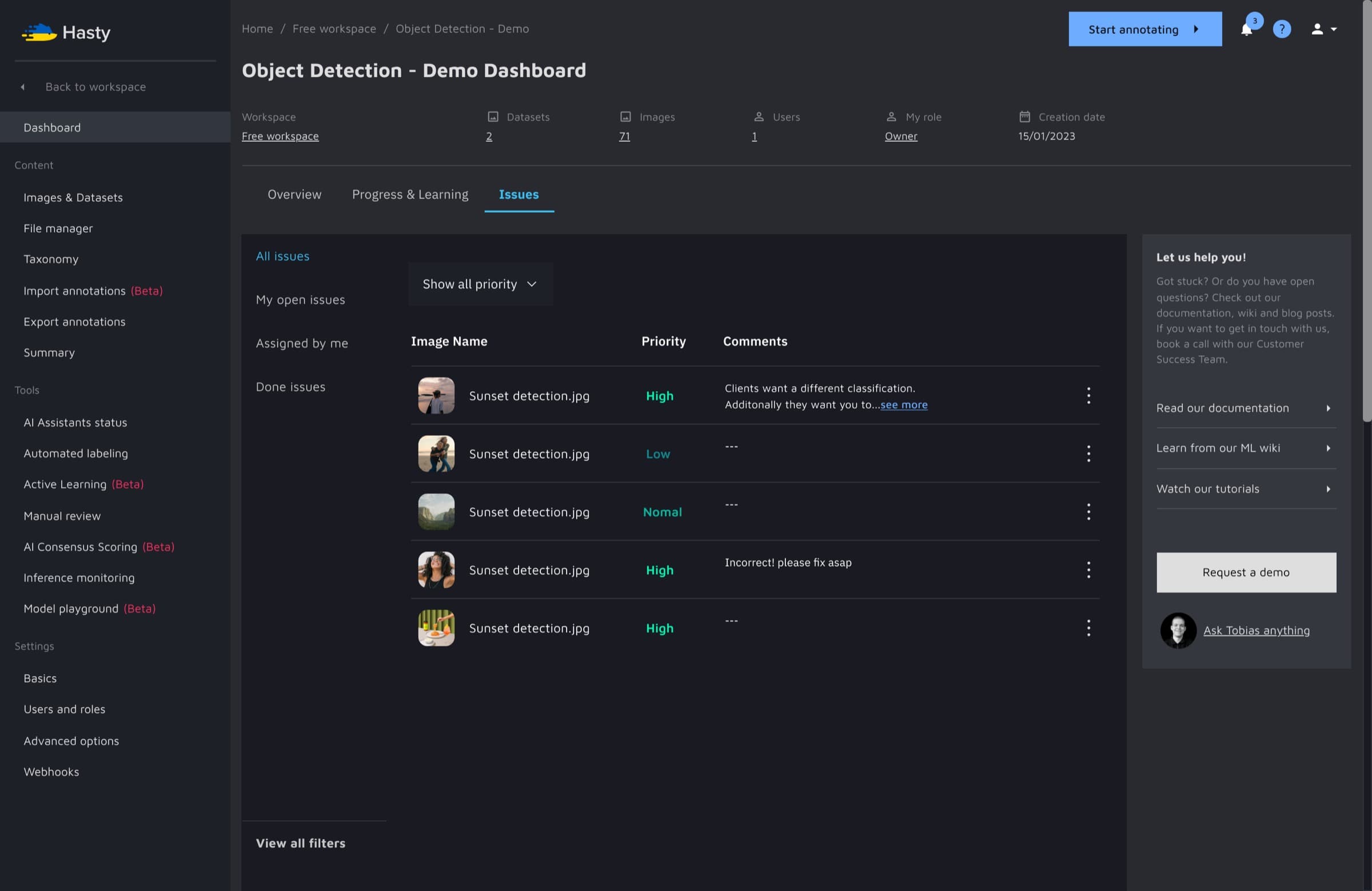
2. Thumbnail view changeable to list view for image assignment
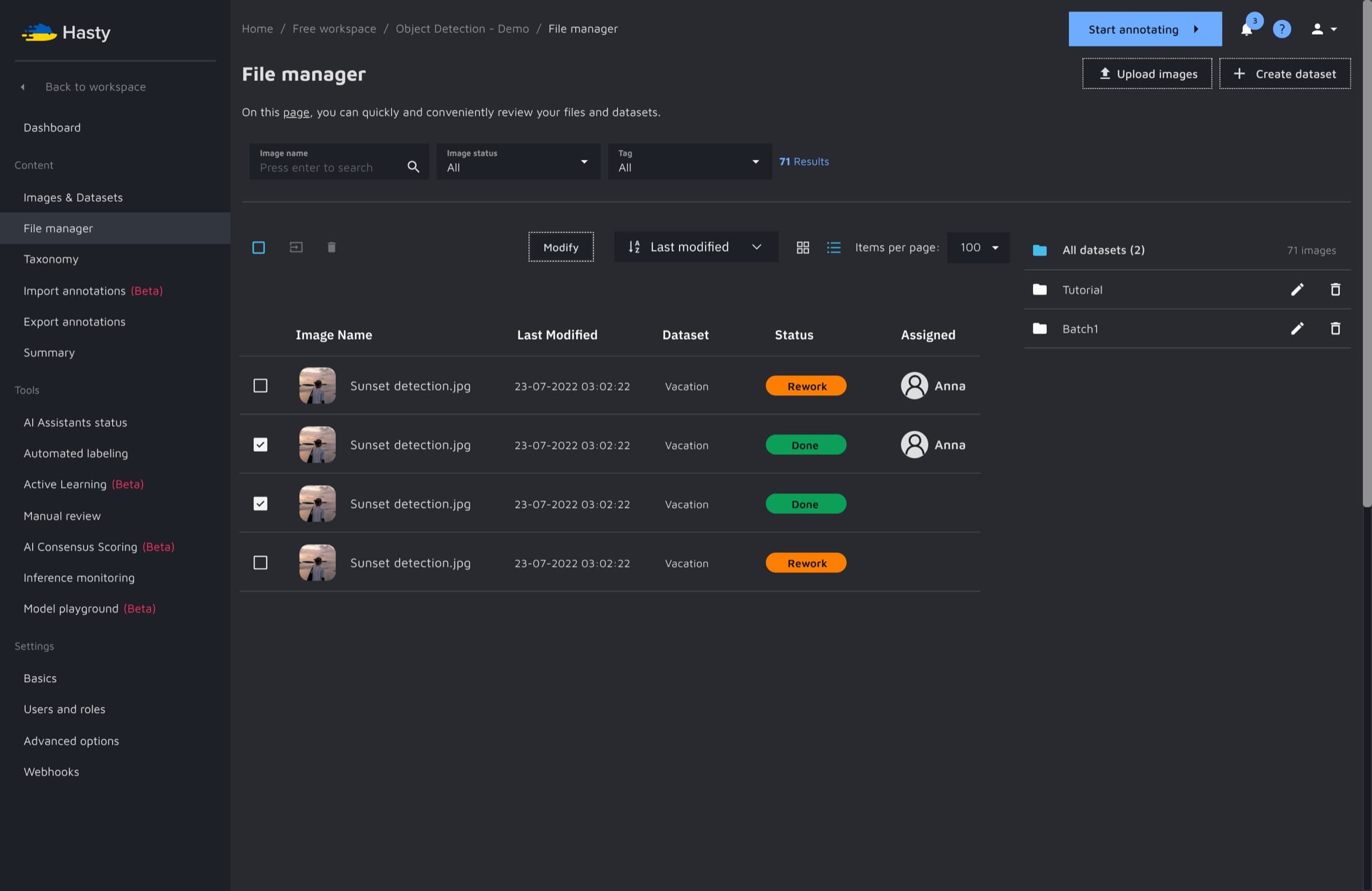
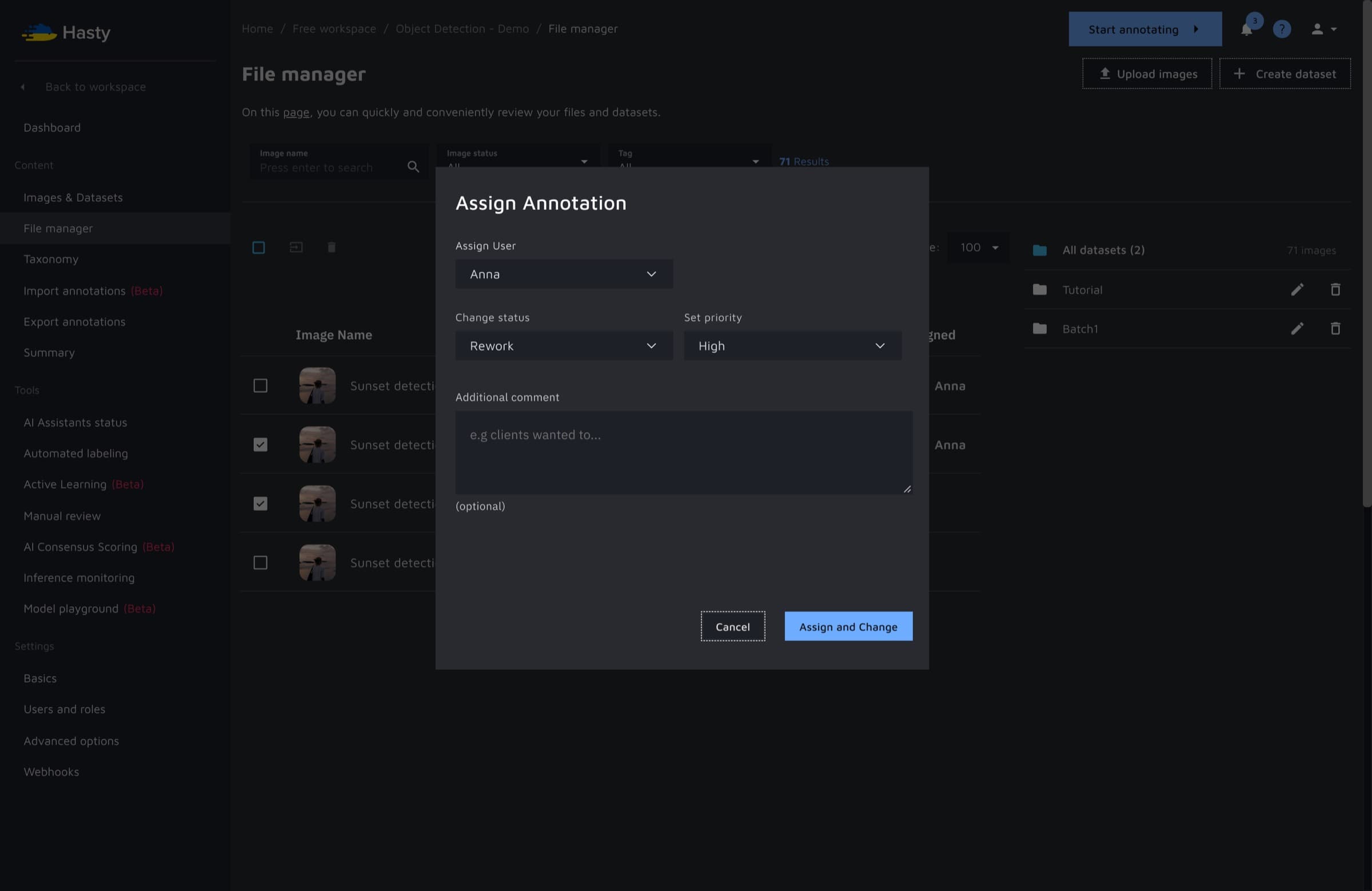
Under the file manager, the thumbnail view can be changed to a list view. The list view has more details about an image, its status and its assignee. Images can be annotated, assigned and prioritised.
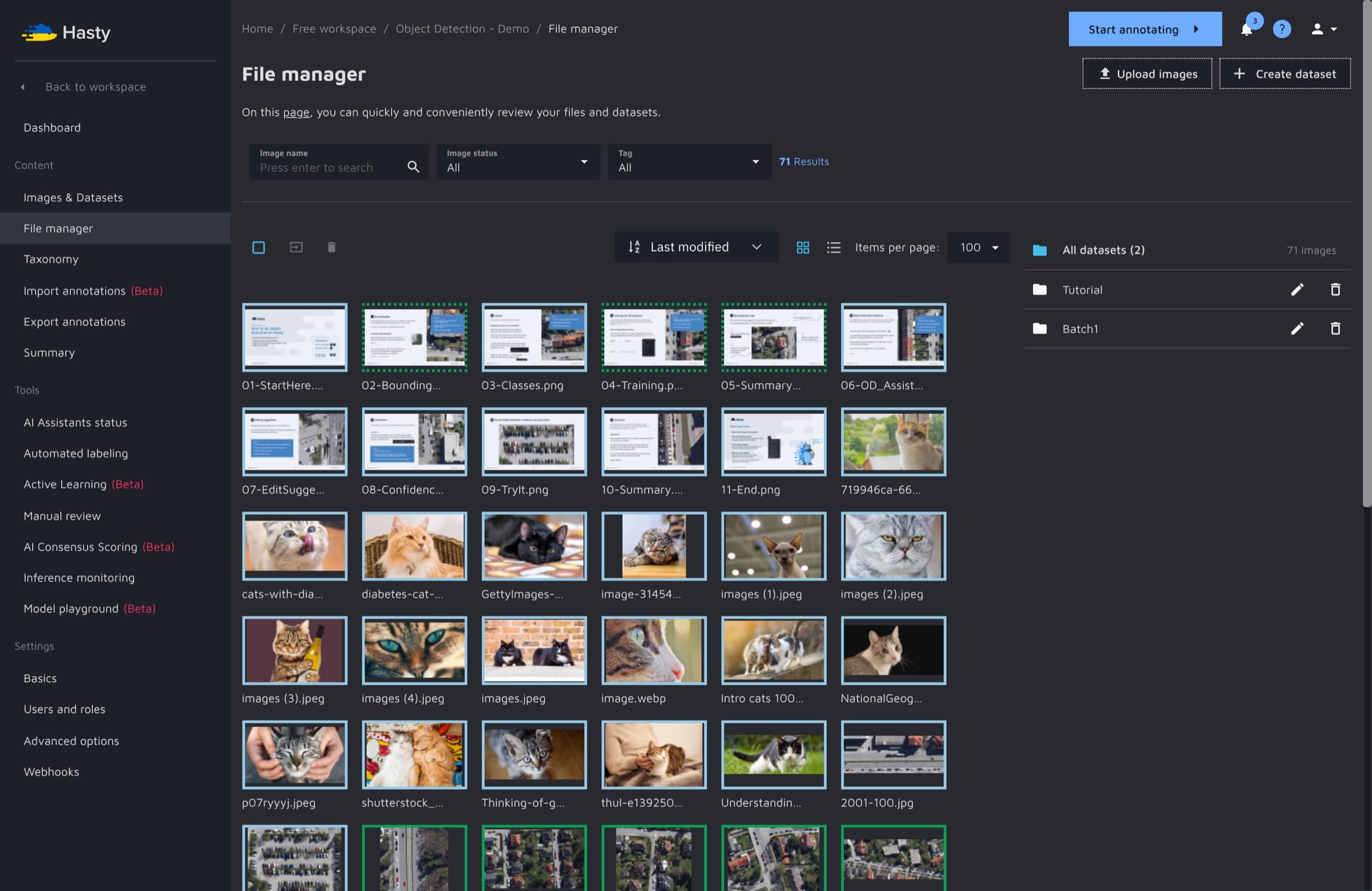
For the scope of this project, if all the images with the status done are selected, an option to modify appears. The user can change the status to rework and assign the reworked images.